Every time a Jellyfin client starts a video, it makes a call: play the original file or ask the server to transcode. Get it wrong in one direction and the viewer waits on an encode nobody needed. Get it wrong in the other and the player stalls because the link cannot carry the file. In Tomo TV, that call comes from a reading of the real link, against the real file, every time.
The server is a file host
The server holds the files. On a link that can carry the original, the server sends the original. No encode runs. No quality is lost.
The Tomo TV engine builds a private HLS master playlist for each session. That playlist can declare the device's own stream copy alongside server-fed rungs at lower bitrates, and AVPlayer picks between them on its own as the link changes. When the link is strong enough, the master lists only the stream copy. No rung appears.
Jellyfin server transcoding stays available for two cases: a codec the device cannot decode, or a link too thin to carry the file. Even Dolby Vision Profile 7 disc rips stay on the device. The viewer has the last word too: an account the server does not let transcode never reaches the rungs, and the Server transcoding setting can rule them out on one device.
The 1.2x rule for when to transcode
The threshold is 1.2 times the file's declared bitrate. When the measured link meets it, the master playlist names the original alone and no server rung is offered. Below it, the engine withholds the copy, opens on the biggest rung whose first segment lands in about a second, and lets AVPlayer climb from there.
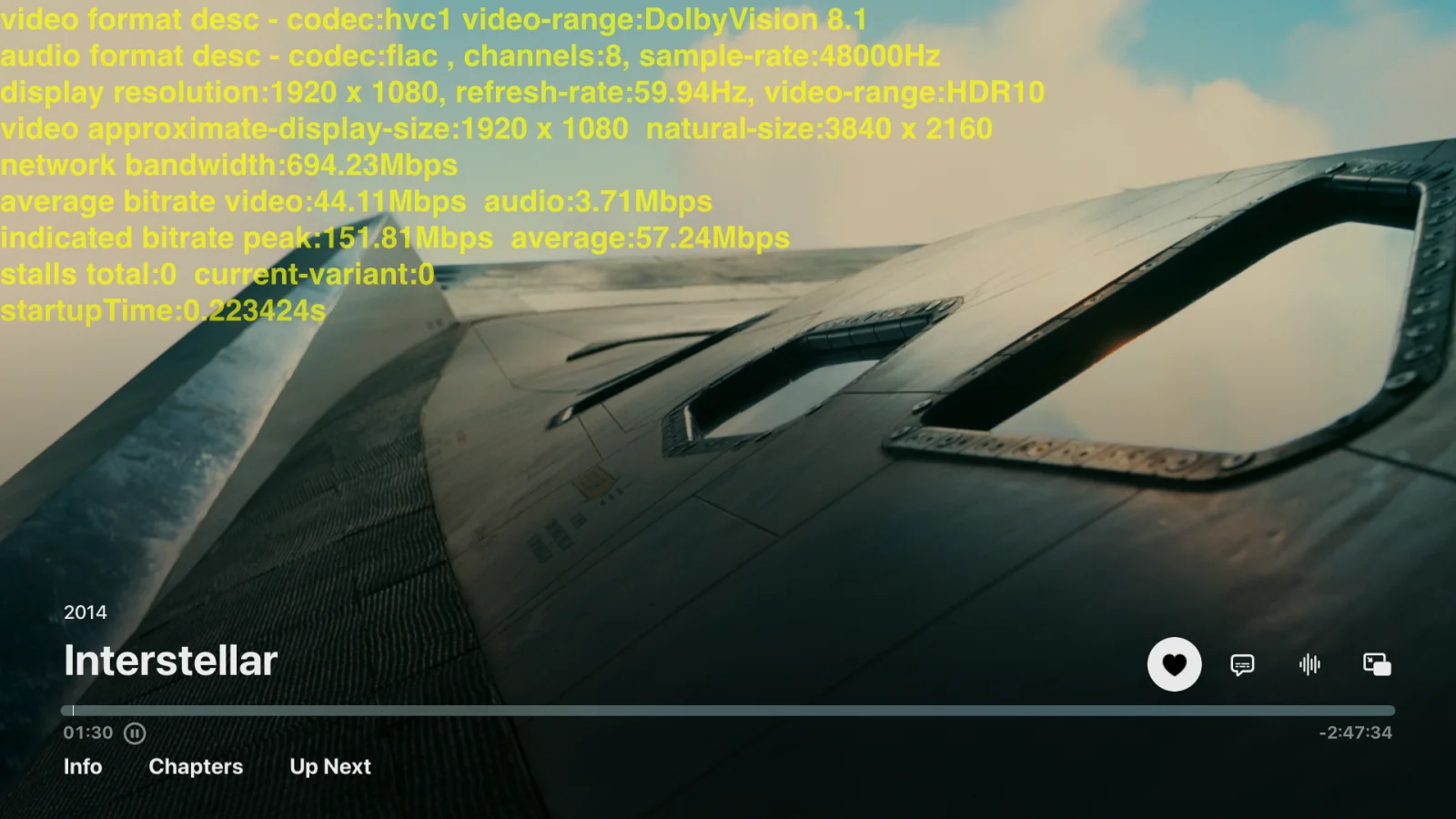
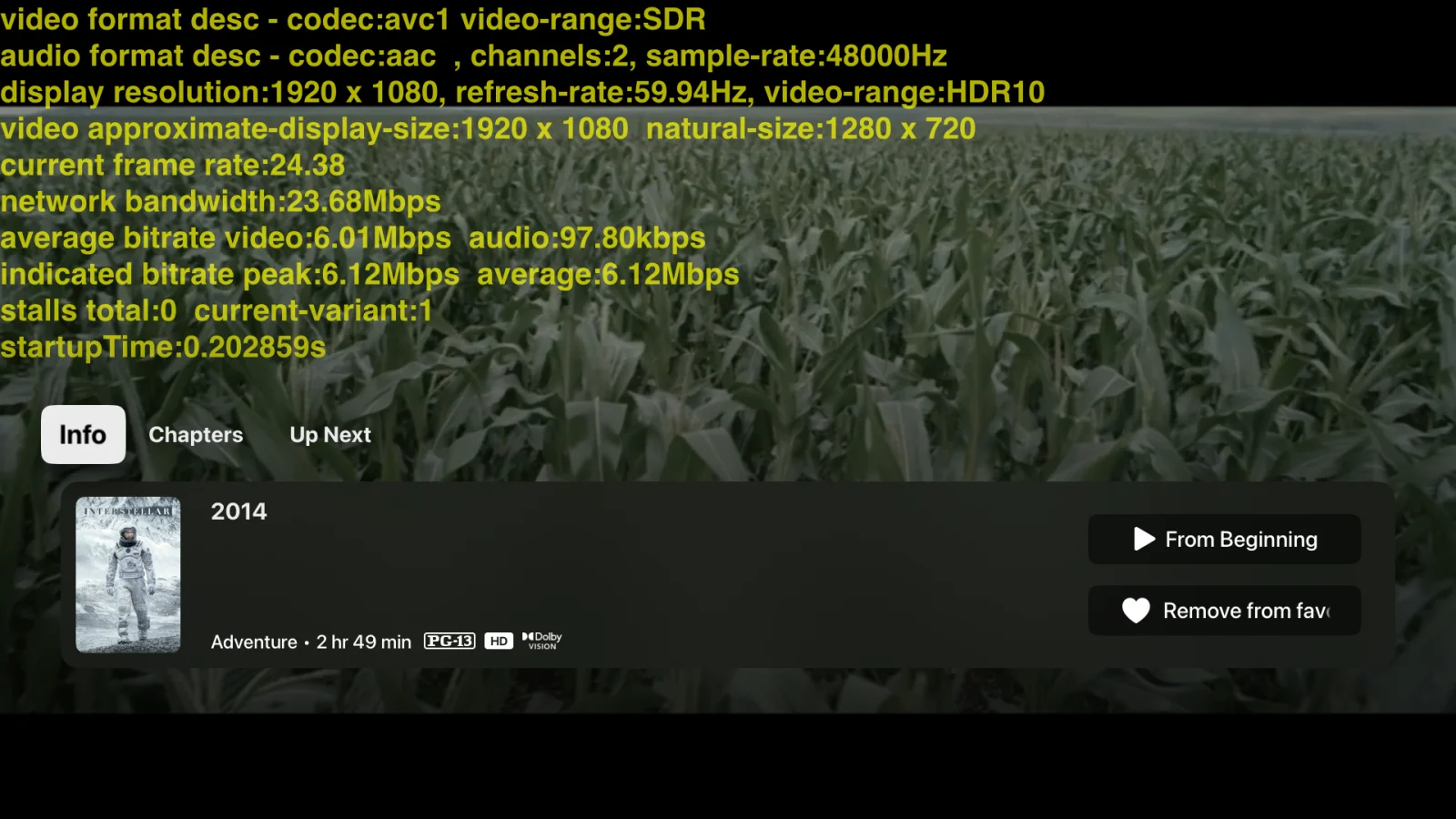
Here is the rule on an Apple TV, with Apple's own playback HUD on. The file is a 4K Dolby Vision disc rip at 81 Mb/s, so the copy needs a 97 Mb/s link. On the home network the player sits on variant 0, the copy, with zero stalls. With the Apple TV's developer network conditioner set to a bad network profile, the engine reads a 23 Mb/s link and withholds the copy. The player sits on a 720p server rung at 6.1 Mb/s, still with zero stalls.
The engine reads the file itself, on three connections
AVPlayer cannot make this call, because it never touches the wire. It reads from the engine's own HTTP server on the device, so its bandwidth figure is the loopback. The engine measures the link on its own, by reading the file about to play.
The reading is a ranged read of the file on three connections, the same count the engine plays it through, timed for 1.5 seconds from the first byte. The clock starts at the first byte, so a server that takes a moment to answer is not read as a slow link. A read that ends under its window times a burst, not the link, and is thrown away.
While the session rides a rung, the engine reads the link again every 30 seconds, never less than 8 seconds apart. It skips the read when the rungs already arrive at the pace the wire last read. Once AVPlayer holds 12 seconds of the copy, the buffer decides, not a reading. The engine's own reads of the file can only lower the link, never raise it, because a read returns what the socket already holds.
Follow drops at once, and rises once they hold
One reading is not enough. TCP delivers in bursts, and a single window can land inside a burst and report a rate the wire cannot sustain. The engine keeps two exponential moving averages of its readings, weighted by the seconds each one measured.
The link follows the bandwidth model of hls.js and Shaka Player: the estimate is the lower of a fast average and a slow one. The half-lives are 3 and 9 seconds, as in hls.js.
mutating func add(_ bps: Double, seconds: Double) {
    guard bps.isFinite, bps > 0, seconds > 0 else { return }
    fast.add(bps, seconds: seconds)
    slow.add(bps, seconds: seconds)
    self.seconds += seconds
}

var estimate: Double? { seconds > 0 ? min(fast.value, slow.value) : nil }
A drop hits the fast average and becomes the lower value at once. A rise moves the slow average slowly, so the estimate stays low until the improvement holds. The routing decision follows the same curve.
flowchart LR
    A[Link measured] --> B{"At least 1.2x<br/>the file rate?"}
    B -- Yes --> C["Original only<br/>no server rung"]
    B -- No --> D["Server rung leads<br/>original stays listed"]
The Settings check reads ten seconds of a real video
Settings carries a second reading, the one the viewer sees. It picks the newest library video that is not already on the device and not a live channel, and reads its raw stream from the server for ten seconds. A read cut off before nine of those seconds is not kept; the previous reading stands.
Every one of those URLs gets a unique query parameter. An identical URL is eligible for the system's HTTP cache, and a cached response comes back in milliseconds. That reads as a link many times faster than the wire. The nonce forces a real network read each time.
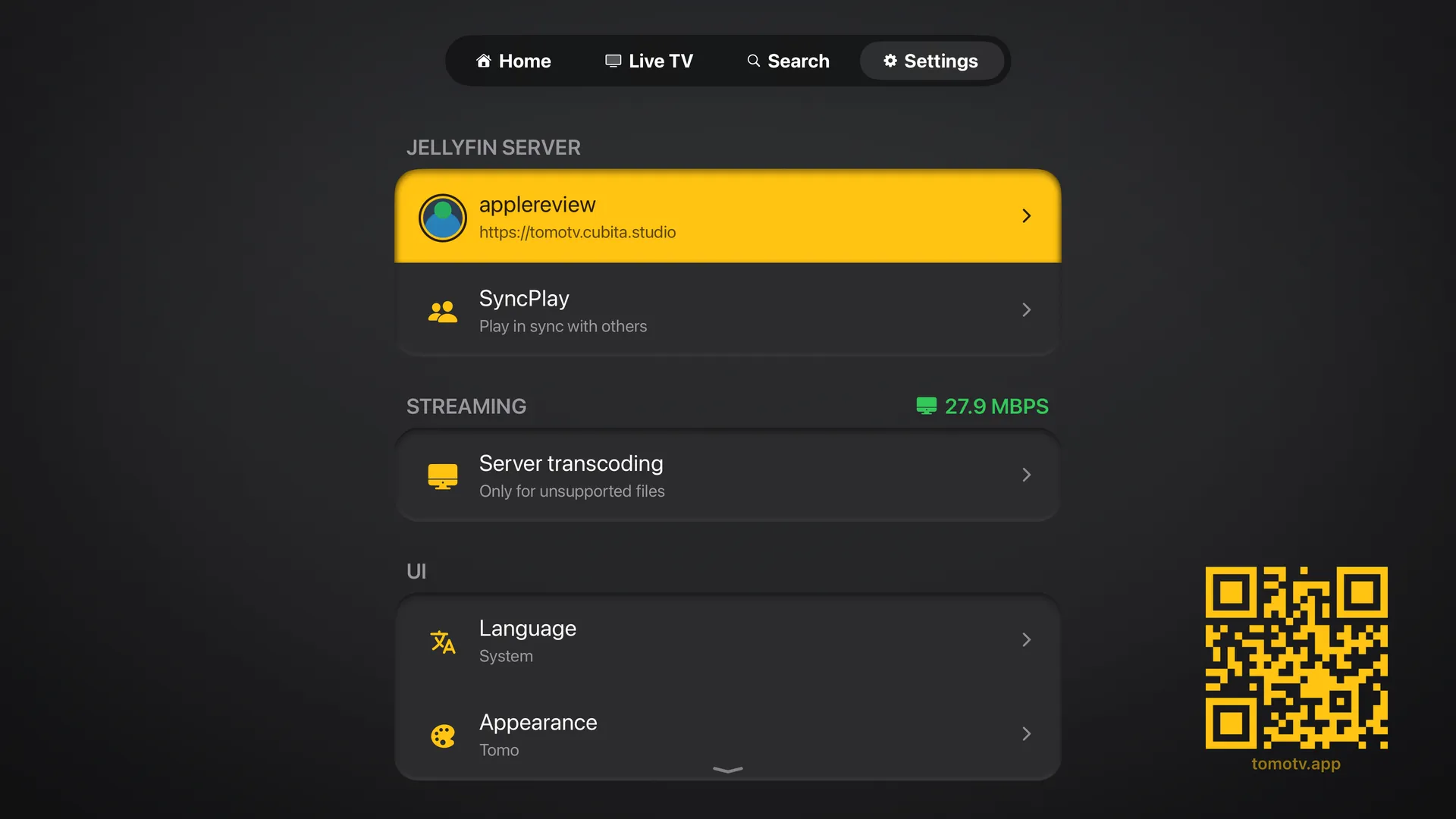
This reading is what the info panel's Playback line uses before a file starts, and what the start plan reads. A session start never waits on it: a probe takes seconds on exactly the links this reading exists for, so the engine's own 1.5 second read decides the master.
The first version of this check was a 500 KB read, and it trusted the result. A read that small cannot outrun TCP slow start. A 30 Mb/s link measured 3.5 Mb/s in one cold sample, and the routing gate treated the file as too large for direct play. The ten-second read of a real video replaced it.
The rule is plain: read the real link against the real file, add a margin, and decide. The complexity is in reading correctly. The player's own figure is the loopback. A cached response gives no real answer. A single sample gives the wrong answer when TCP is still ramping up. The two-average model is what keeps the routing stable. The same principle applies to network errors: one bad signal does not reset state. The Tomo TV page has more on the engine.