
- jellyfin client
- apple tv
- iphone
- ipad
- on-device decoding
- direct play
- dolby vision
- offline downloads
Tomo TV, a Jellyfin Client
Your whole Jellyfin library on Apple TV, iPhone and iPad. Nearly every codec there is, decoded on the device, in the one player the system already ships.

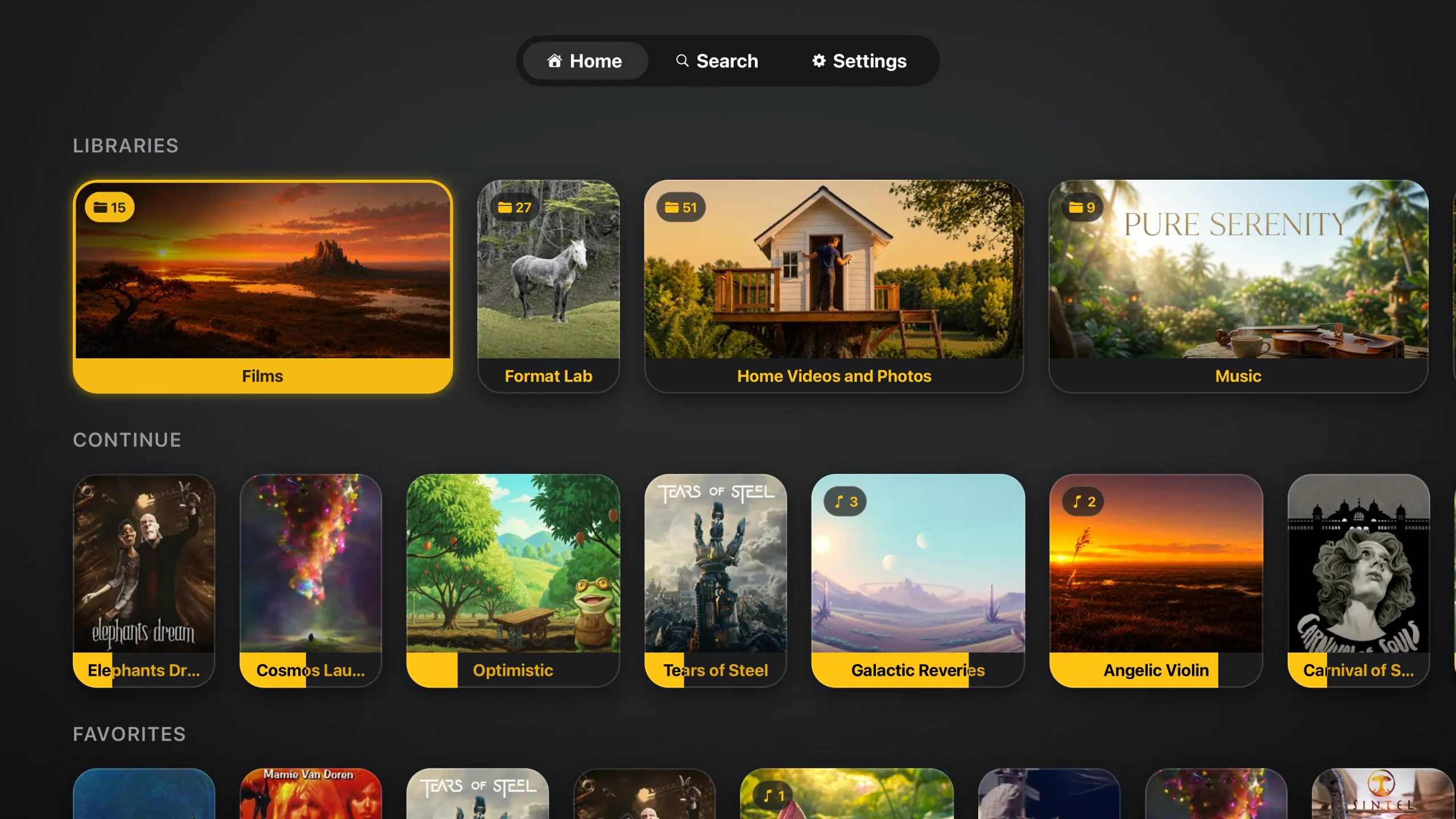
Connect a Jellyfin server and your films, shows, music and photos are there, ready to play. Underneath is a playback engine built for the job: MKVs, Atmos bitstreamed untouched, TrueHD and DTS-HD carried across without loss, picture subtitles, HDR10 and Dolby Vision. What Apple's player cannot read is converted on the device rather than by your server, so most of the time your server does nothing but send the file.
Free, nothing to buy inside it, and no analytics of any kind. The only account involved is the one on your own server.
It plays what is already on a Jellyfin server you run. The app hosts no media, ships with none, and has no catalogue of its own. What you keep on that server and play through the app is yours to answer for, not ours. The terms of use at the foot of the page say the rest.
01 / Library
Everything you have, in one place
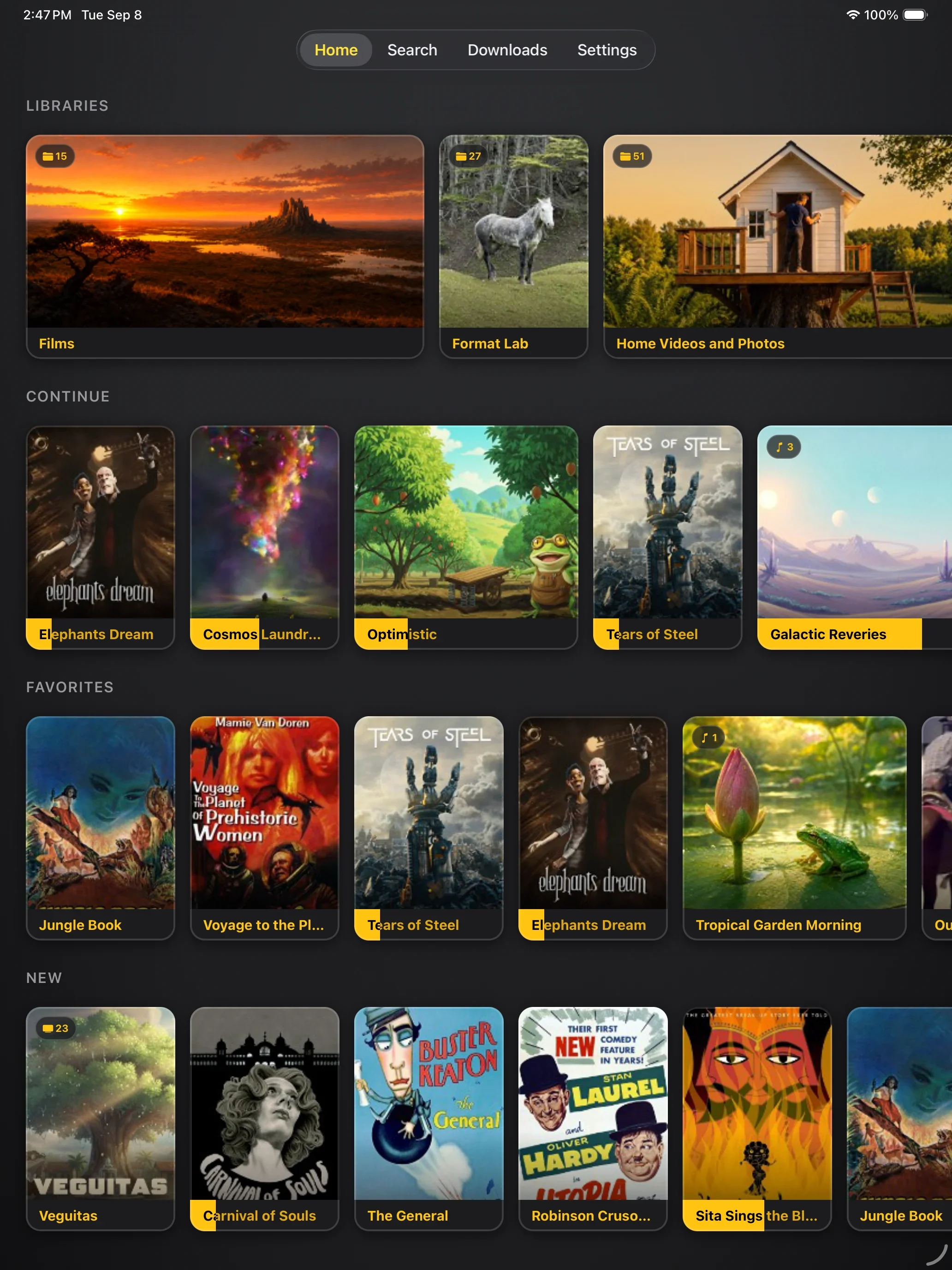
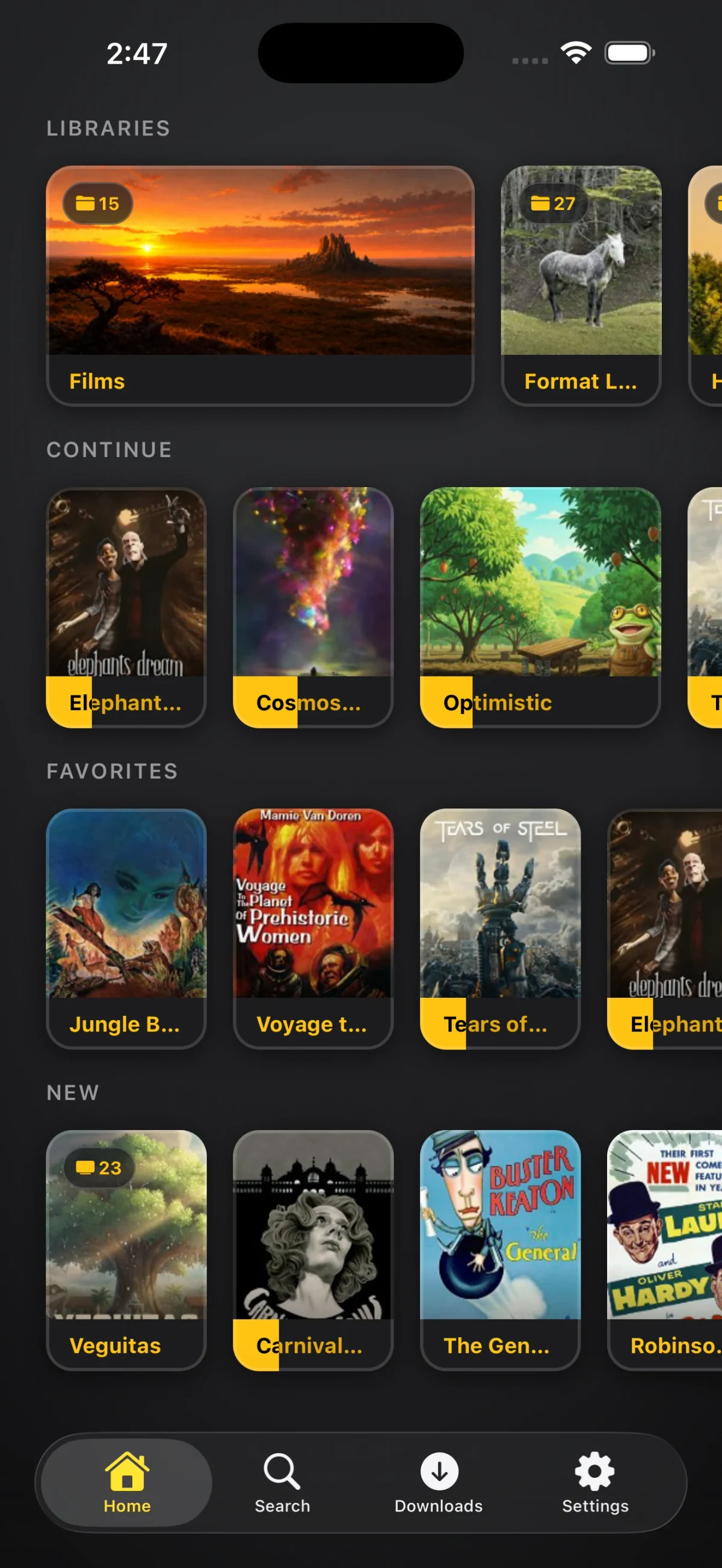
Films, full show seasons, music, home videos and photos, each library with its own artwork and a count. Continue puts everything you are part-way through on the first screen, progress riding the artwork rather than hidden in a menu, and Favorites and New follow underneath. Music is laid out by cover art, so the app that runs your movie nights doubles as your record shelf. Photo libraries open in a full-screen viewer with a slideshow; on iPhone and iPad a photo pinches to zoom, a drag changes it or closes the viewer, and its info panel shares the original file.
Those same recent items fill the Top Shelf, the row across the top of the tvOS home screen, so a half-finished film is one click from the system home without opening the app at all. tvOS
02 / Play
Apple's own player, for everything
Every format on this page, a disc rip and a camcorder tape and a 4K HDR remux alike, arrives in the player the system already ships: the transport you know, AirPlay, Picture in Picture, and the subtitle and audio controls sitting in the system's own chrome. There is no second player to learn.
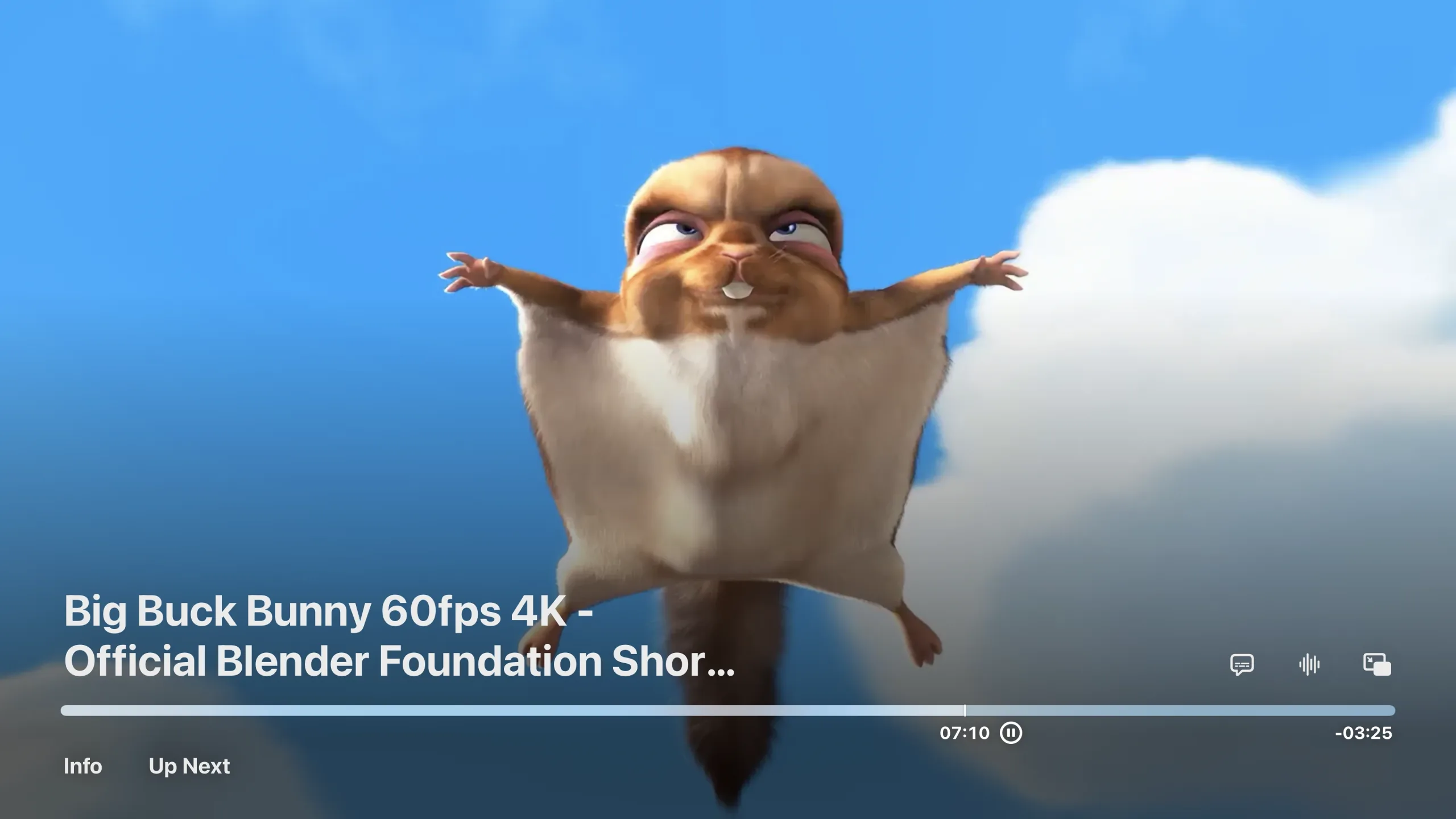
Switching the audio track mid-film is instant on anything the device plays itself: every track is its own rendition in the playlist the engine serves, so nothing restarts. Whichever subtitle track you picked follows you into the next episode instead of resetting when the file changes. Swipe down on the remote and tvOS opens its info panel over the video, with an Up Next tab added to it. A file with chapter markers lists them there, and picking one jumps straight to it. Where your server publishes segment markers, Skip Intro and Skip Credits appear as timed pills over the video. tvOS
Watch together through Jellyfin's own SyncPlay. Settings, SyncPlay makes a group and fills the screen with its join code; a phone or iPad signed into the same server scans it and is in, nothing typed and no credentials in the code. The server drives every member's player, play, pause, seek and stop, and nobody starts until everyone is ready: a scrub on one device reaches the others, and a device that stalls holds the group until it catches up. Video only.
Press Play and one of three things happens. The app says which before you press anything, in these words.
| Outcome | Decoded by | Your server |
|---|---|---|
| Direct PlayH.264 always. HEVC and AV1 where this chip decodes them, which the app asks it once and remembers. | Apple's player, as the file stands | sends the file |
| Re-encoded on this deviceAnything Apple's player will not open, at any size, including the HEVC or AV1 this chip declines. | the engine, on this chip | sends the file |
| Transcoded by the serverA format with no decoder at all, or a file this device was measured as unable to keep up with. | your server | transcodes it |
Only the third asks anything of your server, and it still plays at full resolution: on Auto the quality follows your measured link, with the original as the ceiling.
None of that is a claim you have to take on faith. Open anything and the panel carries the verdict at the top and the file underneath it: the video stream with its codec, profile, dimensions, frame rate, bit depth and bitrate, then every audio track with its language and channel layout, then where the file sits on your server. It answers “why did this one play like that?” two seconds from any card.
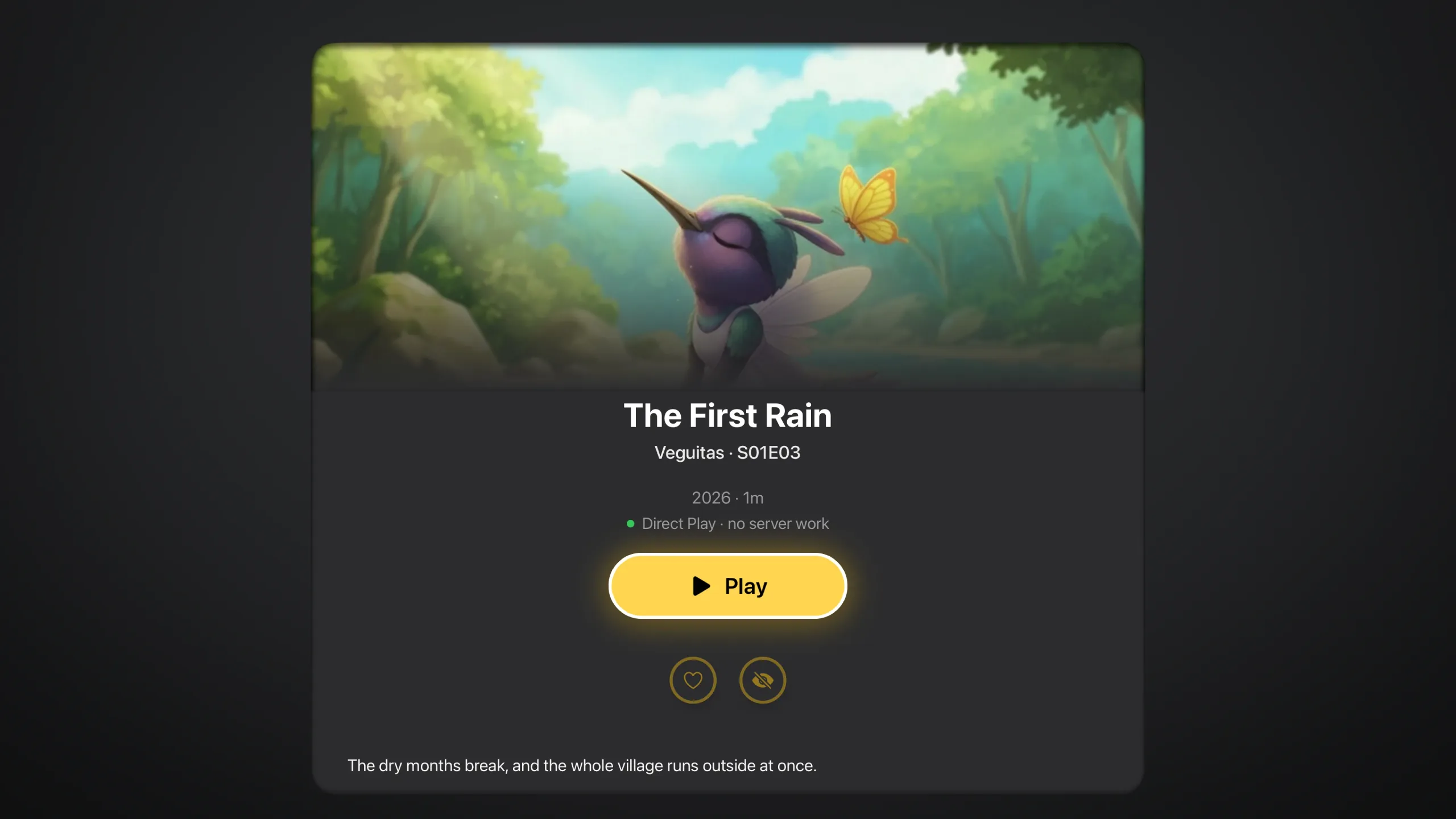
And afterwards it shows its work. Diagnostics, under About Tomo TV in Settings, keeps the last playback: the lane it chose and its reason when it declined a file, the streams your server described, every error, the build, and the device with what it decodes in hardware. Only the last session is kept. iPhone and iPad can copy or share it; Apple TV has no clipboard, so it sends the log to your own Jellyfin server, into your account's settings slot, and your phone offers it when it arrives. That slot is the only place it ever goes.
03 / Your server
What your server is actually asked to do
Most of the time, nothing but send bytes. The setting below only comes into it when your server is the one re-encoding, and then it is a hard ceiling: metered data, a shared uplink. Anything the device handles itself ignores the preset entirely, because the file the engine reads is the original either way.
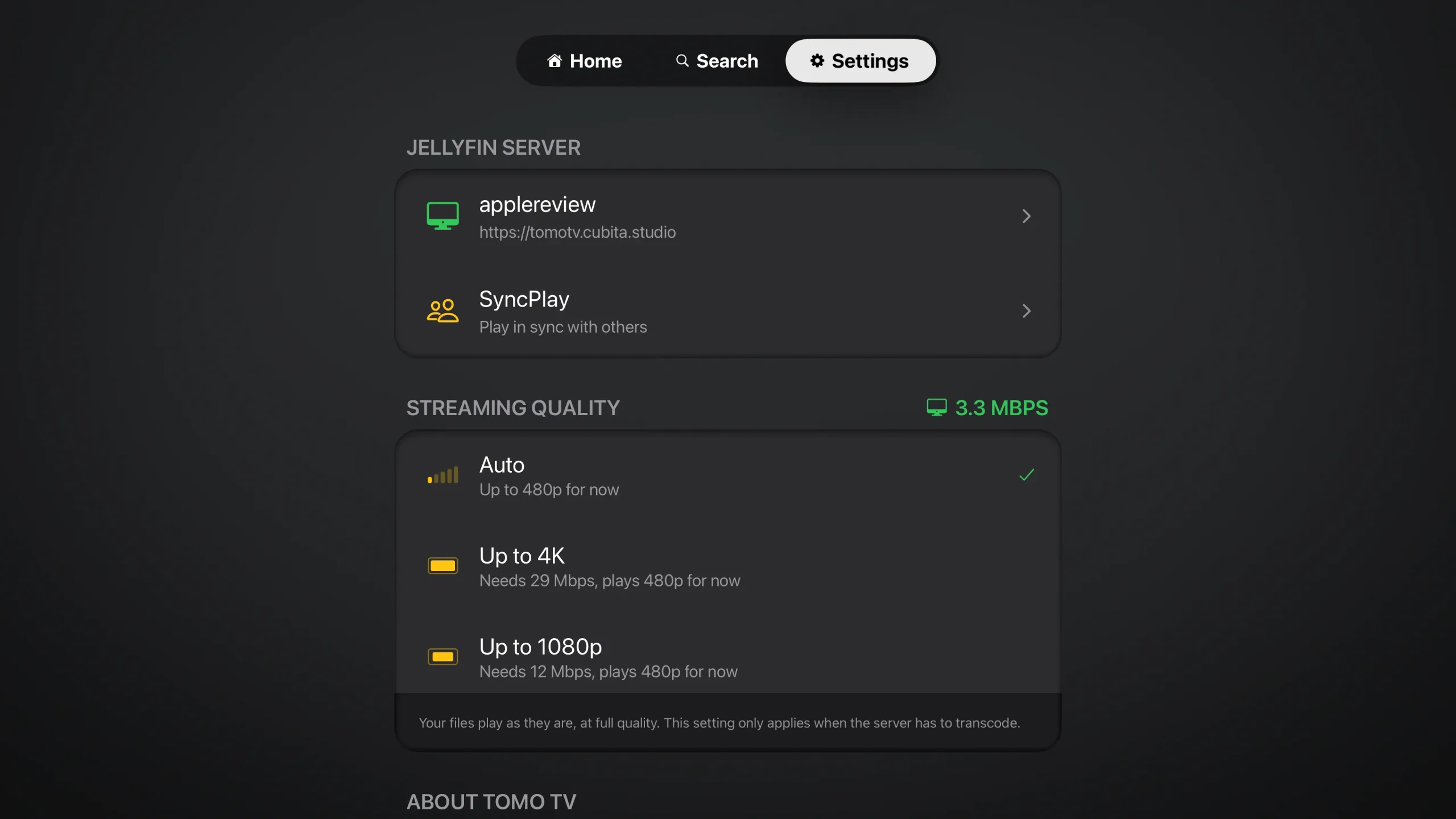
The useful part is the arithmetic it puts on screen. The measured link sits at the head of the section, Auto says in words what that link is good for right now, and every preset states the bitrate it asks of your connection. A 4K ceiling wanting 29 Mbps of a line measuring a fraction of that is a fact you can read rather than something you discover in the middle of a film.
| Preset | Data | Needs |
|---|---|---|
| AutoDefault | Adapts | What your link carries |
| Up to 4K | ~9 GB/h | 29 Mbps |
| Up to 1080p | ~3.6 GB/h | 12 Mbps |
| Up to 720p | ~1.8 GB/h | 6 Mbps |
| Up to 540p | ~1.1 GB/h | 4 Mbps |
| Up to 480p | ~0.7 GB/h | 3 Mbps |
A measured-slow link also changes how a session opens: rather than buffering toward full quality it starts on a smaller server feed and climbs natively as the link allows.
04 / Offline
Take it with you
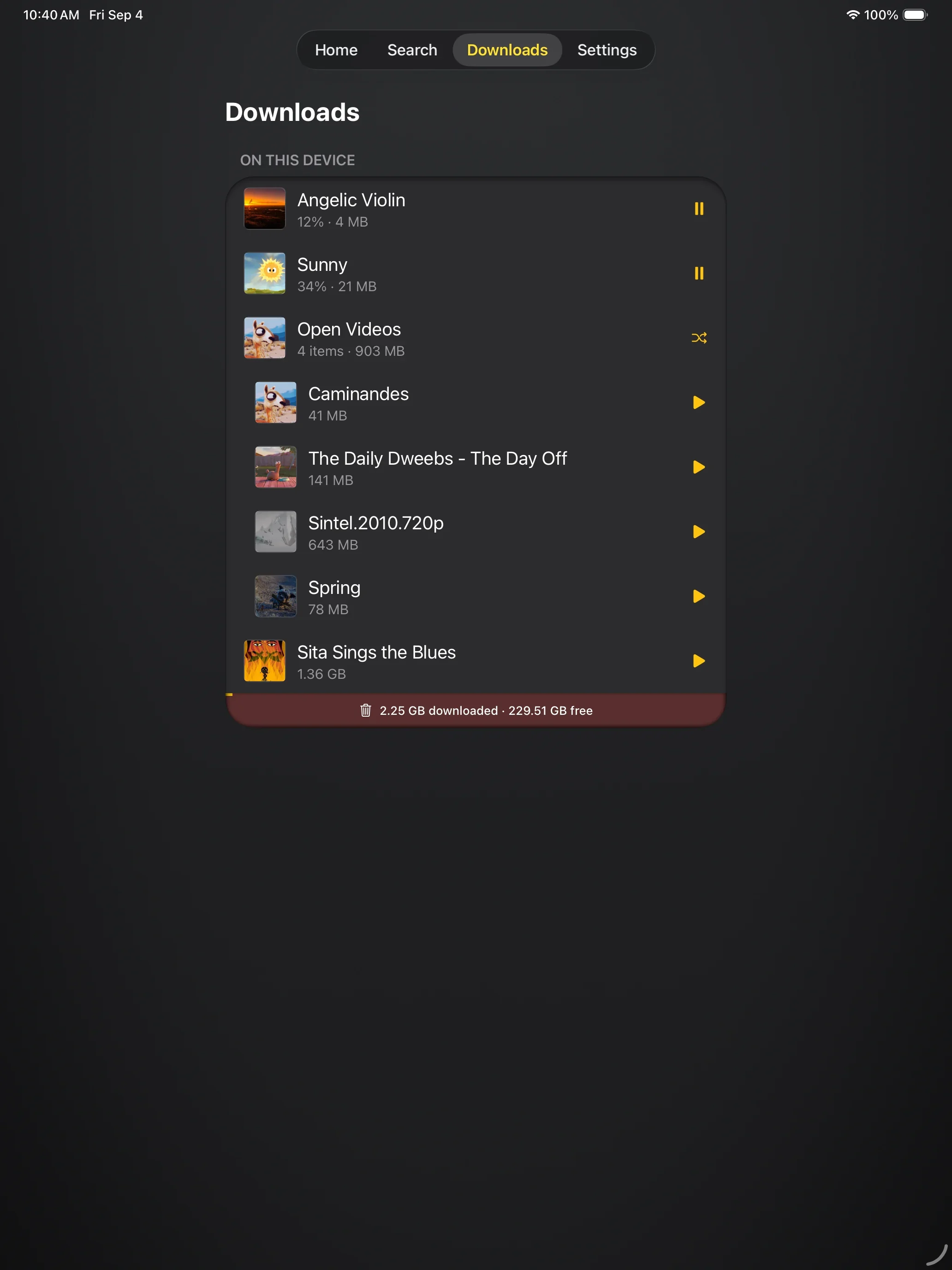
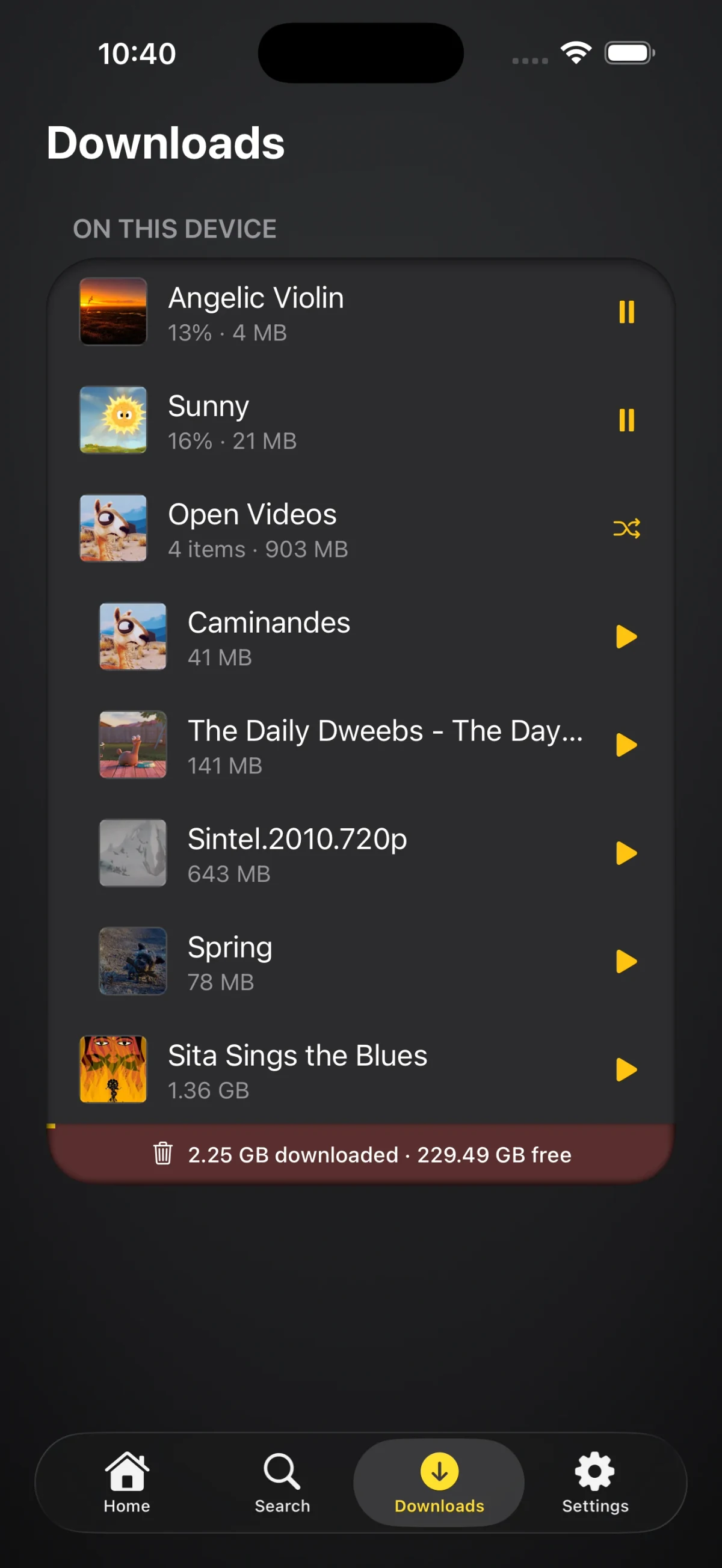
Download a film, an episode, a whole folder or an album, and it plays from the device with no server and no network at all. Downloads in flight show a percentage and pause on a tap, finished items sit under the folder they came from, and the gauge at the foot of the card says what you have used and what is left on the device. Music and audiobooks download the same way.
Music and audiobooks are not routed through the video player either. They play in a dedicated native queue player: gapless transitions, previous and next on the Apple TV remote, and on iPhone a queue that keeps going in the background with Now Playing and Lock Screen controls. Apple Lossless passes through untouched and FLAC is re-encoded as FLAC, so a lossless library stays lossless all the way to the receiver either way. While a queue plays, a small player rides above whatever you are browsing and tucks itself against the nearest edge when you leave it alone. iPhone and iPad
05 / Find
Find it, then narrow it
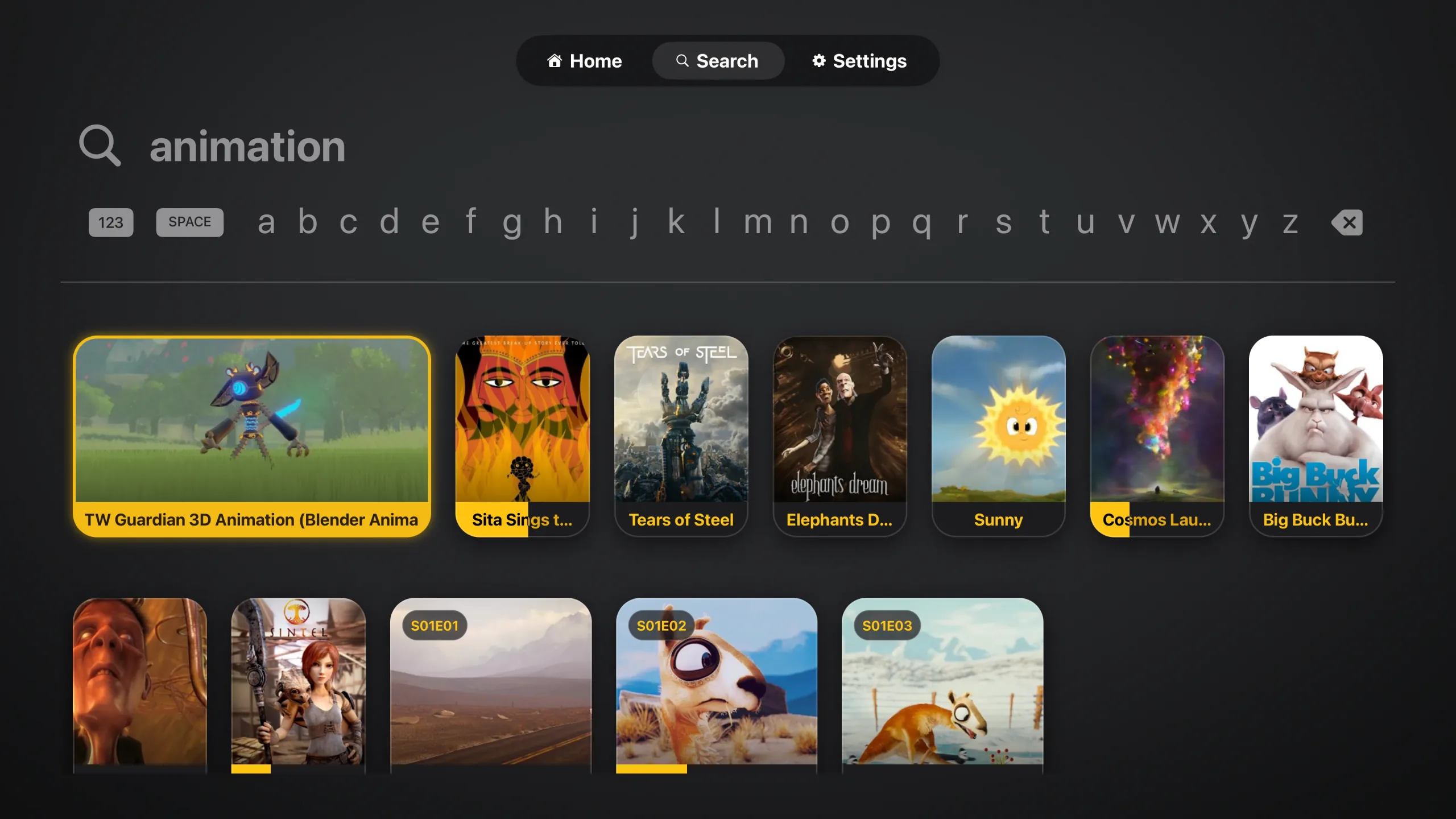
Type a title, genre, artist or year and results surface as you go, films and episodes together rather than in separate lists. On Apple TV the letters sit in one row across the screen, so a title is a few clicks rather than a walk around a grid keyboard.
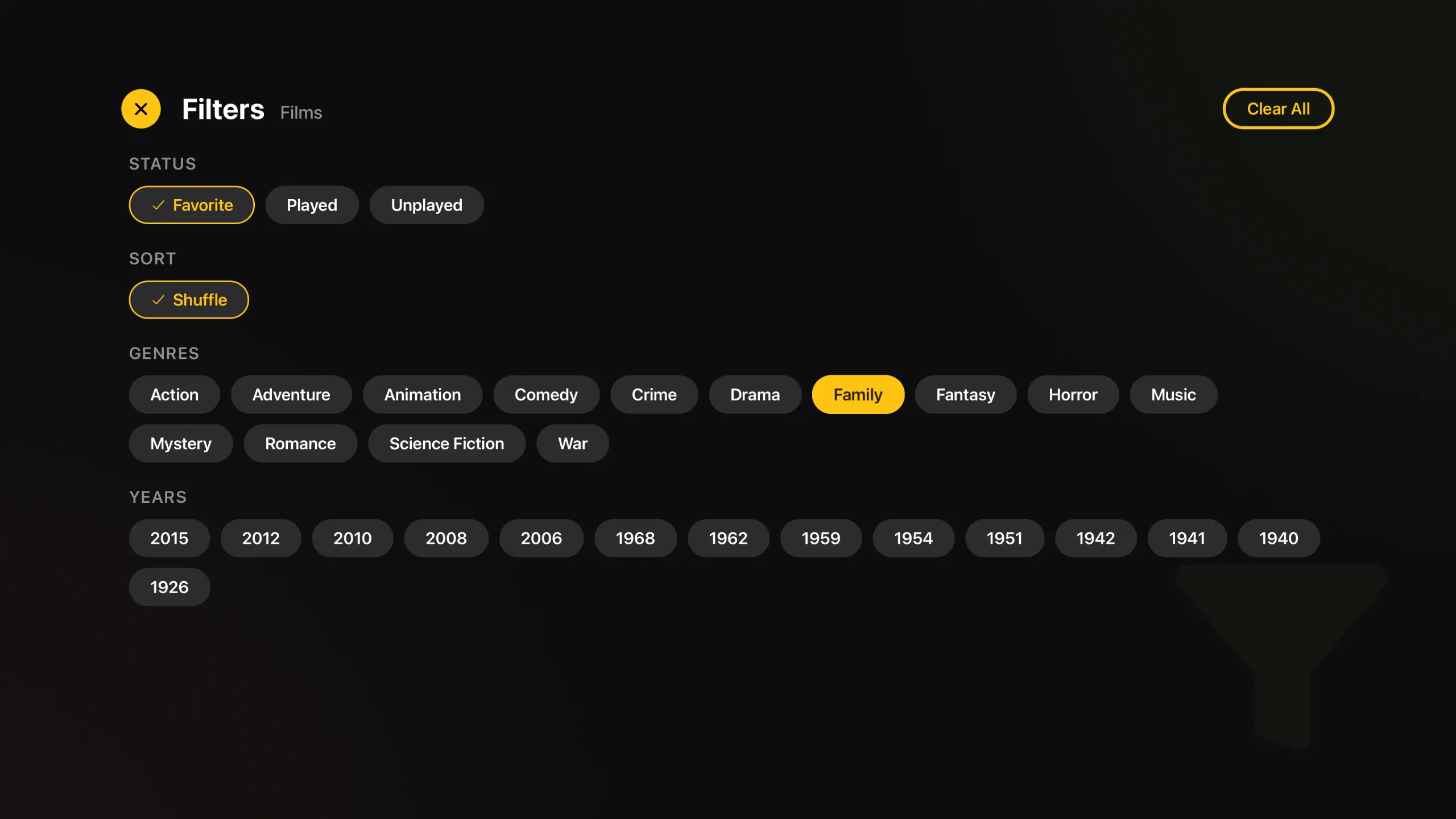
Any library narrows the same way: by watched status, by genre, by year, with a shuffle sort and a Clear All when you have gone too far. What you picked stays picked while you browse.
Start in minutes
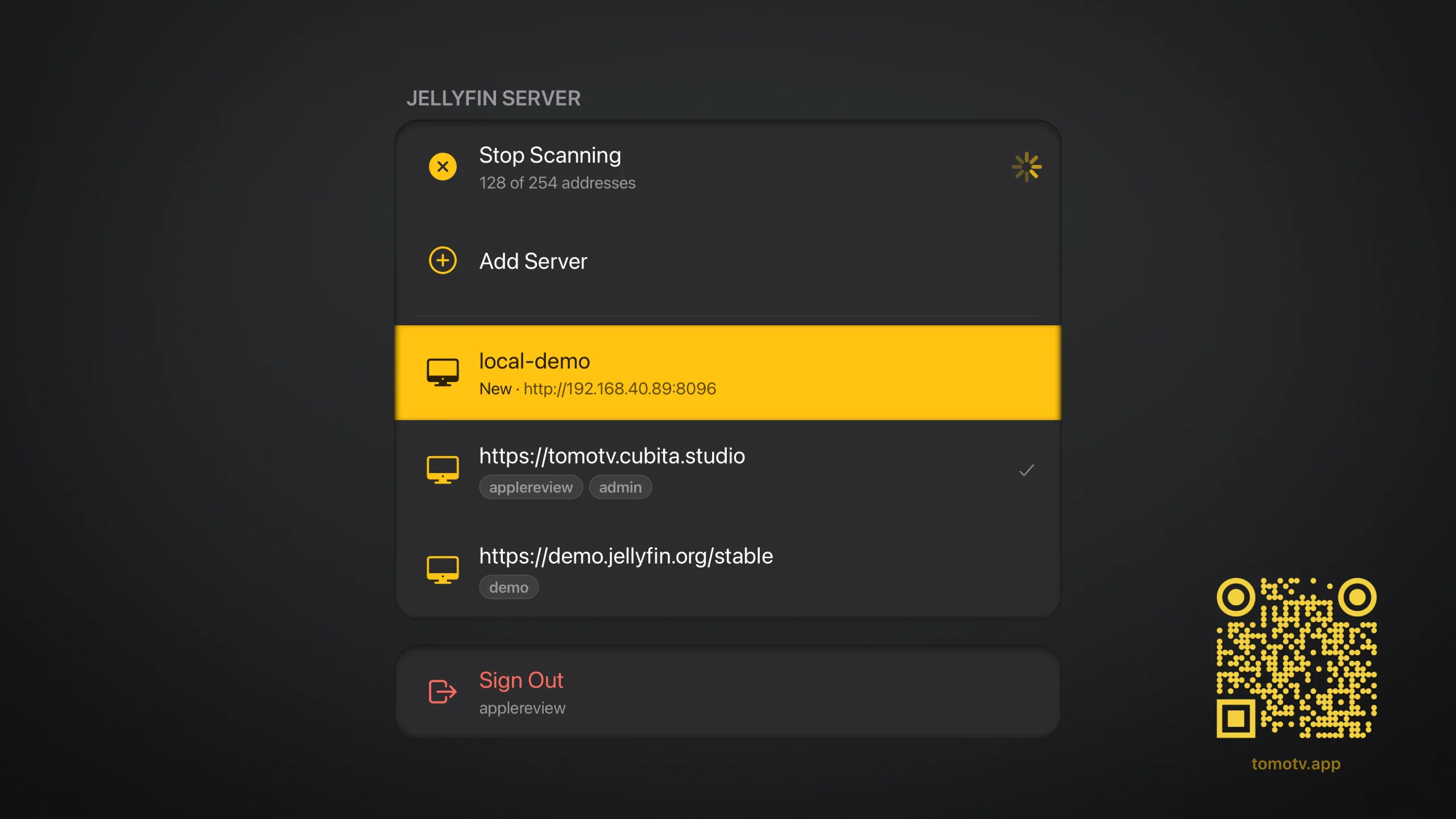
Pick Scan Network and Tomo TV sweeps your local subnet for Jellyfin servers, honoring the network's real netmask, and lists every one it finds. Pick yours out of the list with nothing to type, or enter the address including the port, http://192.168.1.100:8096. Reverse-proxy subpaths like 10.0.0.5/jellyfin work too. The connect screen shows your device's own IP, warns when a private address is not on this subnet, and if a connection fails it lists every address it tried and how each one failed instead of one generic error.
Sign in with your Jellyfin username and password, or use Quick Connect: the app puts a code on screen, you type it into any Jellyfin device you are already signed in on, and it authorizes itself. Keep as many servers as you like, each with its own sign-in, and switch between them from Settings. Nothing of your own to point at yet? Jellyfin's public demo server is in the list.
Formats
The container is not the test and never appears in one: MKV, MP4, AVI, MOV, TS and the rest all open, and the codecs inside decide the lane. Nor is there a resolution rule. Whether this device keeps up is measured while the file plays.
Video, played as stored
- H.264
- HEVC
- HDR10
- HLG
- Dolby Vision P8.1
- Dolby Vision P8.4
- AV1 (where the chip decodes it)
Video, converted on the device
- AV1 (elsewhere)
- VVC / H.266
- VP8
- VP9
- VP3 to VP7
- MPEG-1
- MPEG-2
- MPEG-4
- Xvid
- DivX 3
- WMV
- VC-1
- H.263
- H.261
- FLV
- RealVideo
- Theora
- Cinepak
- DV
- AVS1
- AVS3
- ProRes
- DNxHD
- CineForm
- MJPEG
- FFV1
- FFVHuff
- MagicYUV
- Lagarith
- SheerVideo
- JPEG 2000
- JPEG-LS
- HuffYUV
- UT Video
- Indeo
- RPZA
- TrueMotion
- Sorenson
- Camtasia
- QuickTime RLE
- Microsoft Video 1
- MS RLE
- Hap
- DXV
- Snow
Audio, played as stored
- Dolby Digital
- Dolby Digital Plus
- Dolby Atmos
- AAC
- Apple Lossless
Audio, converted to FLAC
- FLAC
- TrueHD
- DTS
- DTS-HD Master Audio
- PCM
- MP3
- Opus
- Vorbis
- WMA
- RealAudio
- ATRAC
- WavPack
- Monkey's Audio
- TAK
- Shorten
- Musepack
- MP2 and MP1
- Speex
- AMR
- ADPCM
- QDesign
- Dolby E
- ALS
- TTA
Subtitles
- SRT
- Embedded text
- PGS
- DVD / VobSub
- DVB
- XSUB
Anything not listed plays from your server instead. Uncompressed video is the common case.
Requirements
- Apple TV running tvOS 16.4 or later
- iPhone or iPad running iOS or iPadOS 16.4 or later
- The iPad app also installs on Apple silicon Macs and on Apple Vision Pro, where it runs as the iPad app rather than a version built for either
- Jellyfin server 10.8+
- Server-side transcoding (FFmpeg) is optional: the on-device engine covers most content, the server only steps in for the fallback cases
- Skip Intro and Skip Credits appear on Apple TV when your server publishes segment markers, which needs Jellyfin 10.10+ and a segments provider plugin
- Free, with no in-app purchases
Troubleshooting
- Black screen or a video won't play
- Most files play on the device. If a video stays black, the engine declined it and the server fallback had nowhere to land. Enable transcoding in Jellyfin under Dashboard → Playback → Transcoding and make sure FFmpeg is installed. To find out why it declined, open Diagnostics under About Tomo TV in Settings: it names the lane the app picked and the reason it turned the file down, in one line, which is the thing a bug report needs.
- Can't reach a server
- Check that the server address includes the port (e.g.
http://192.168.1.100:8096). HTTP works on a local network; for access from outside your home, HTTPS with a valid certificate is recommended. - Buffering or slow playback
- Leave quality on Auto: the app measures the link and sizes sessions to it, and the Streaming Quality heading in Settings shows what your link carries. Enabling hardware transcoding on your server (Intel QuickSync, NVIDIA NVENC, or VAAPI) still speeds up the conversions that reach it.
Privacy
Tomo TV collects nothing about you. It has no analytics, no tracking, no ads, no crash reporting of its own, and no account with us. It collects no data from anyone.
What the app keeps, it keeps on your device: the address of each server you add, your sign-in for it in the device Keychain, one entry per server and account, the files you download, the measured speed of your link to each server, and the last playback session for Diagnostics. None of that is sent to us. Deleting the app deletes all of it.
The app talks only to the Jellyfin servers you add, and to Jellyfin's public demo server if you choose Demo. Those servers see your sign-in, what you play and how far you got, under their own operators' policies. Video and audio stream straight between your device and your server, with no server of ours in between.
Tomo TV is made by Keiver Hernandez. Questions about privacy go to contact@keiver.dev. This policy was last updated on 1 September 2026, and the date changes when it does. The website hosting this page has its own policy, covering the site rather than the app: keiver.dev privacy policy.
Support
Questions, bugs or feedback: contact@keiver.dev. A bug report is easier to act on with the Diagnostics log attached: Settings, About Tomo TV, Diagnostics, then Copy on iPhone or iPad. Issues are also welcome at github.com/keiver/tomotv/issues.
Terms of use
Tomo TV is a player for a Jellyfin server you run or have been given access to. It hosts no media, distributes none, and ships with no content of its own. You are responsible for the media on your server, for having the right to play it where you live, and for how you use the app. We are not responsible for how the client is used.
The app is free and provided as is, without warranty of any kind, under the MIT License in its repository.
Tomo TV is a free, open-source, independent client for Jellyfin and is not affiliated with or endorsed by the Jellyfin project. Jellyfin is a trademark of its respective owner. Apple, Apple TV, iPhone, iPad, AirPlay and App Store are trademarks of Apple Inc. Dolby, Dolby Atmos and Dolby Vision are trademarks of Dolby Laboratories Licensing Corporation. DTS and DTS-HD are trademarks of DTS, Inc. All other marks belong to their owners.
Open Source
keiver/tomotv
Jellyfin client for Apple TV, iPhone and iPad, React Native tvOS
keiver/expo-tvos-search
Native tvOS search field and keyboard for Expo apps
Built on open source
The playback engine links these libraries unmodified, as static archives. FFmpeg is not a prebuilt drop-in: it is compiled from source by the project's own build script, from pinned versions, and published with checksums. Full license texts are in the app under Settings → Open Source:
FFmpeg is used under the LGPL version 3 and is not modified. The complete source of each library is available from the project links below. The exact binaries in the app are built by scripts/ffmpeg/build.sh in the Tomo TV repository, from the versions pinned in scripts/ffmpeg/sources.sh, and are published with their checksums at github.com/keiver/tomotv. If you want the source or build for a particular release and cannot get it there, ask at contact@keiver.dev and you will get it.
- FFmpeg (libavformat, libavcodec, libavutil, libswresample, libswscale, libavfilter), LGPL 3.0, container remuxing, audio and video decoding, and pixel conversion
- Mbed TLS (Apache 2.0), TLS for the engine's https connections to your server
- dav1d (BSD 2-Clause), AV1 decoding, and uavs3d (BSD 3-Clause), AVS3 decoding
- libass (ISC), linked into the FFmpeg build for its subtitle filters, with FreeType (FreeType License), HarfBuzz (MIT) and GNU FriBidi (LGPL 2.1+) beneath it
- React Native (react-native-tvos) and Expo (MIT), the application framework and native module ecosystem