Scrub thumbnails on Apple TV look like a job for Jellyfin's trickplay images, and they are not: AVPlayer has no place for them. The thumbnail above the scrub bar comes from an HLS I-frame playlist, and a stream without one scrubs blind. Tomo TV builds that playlist on the device from the file's own keyframes, so every file gets thumbnails with no server-side preparation.
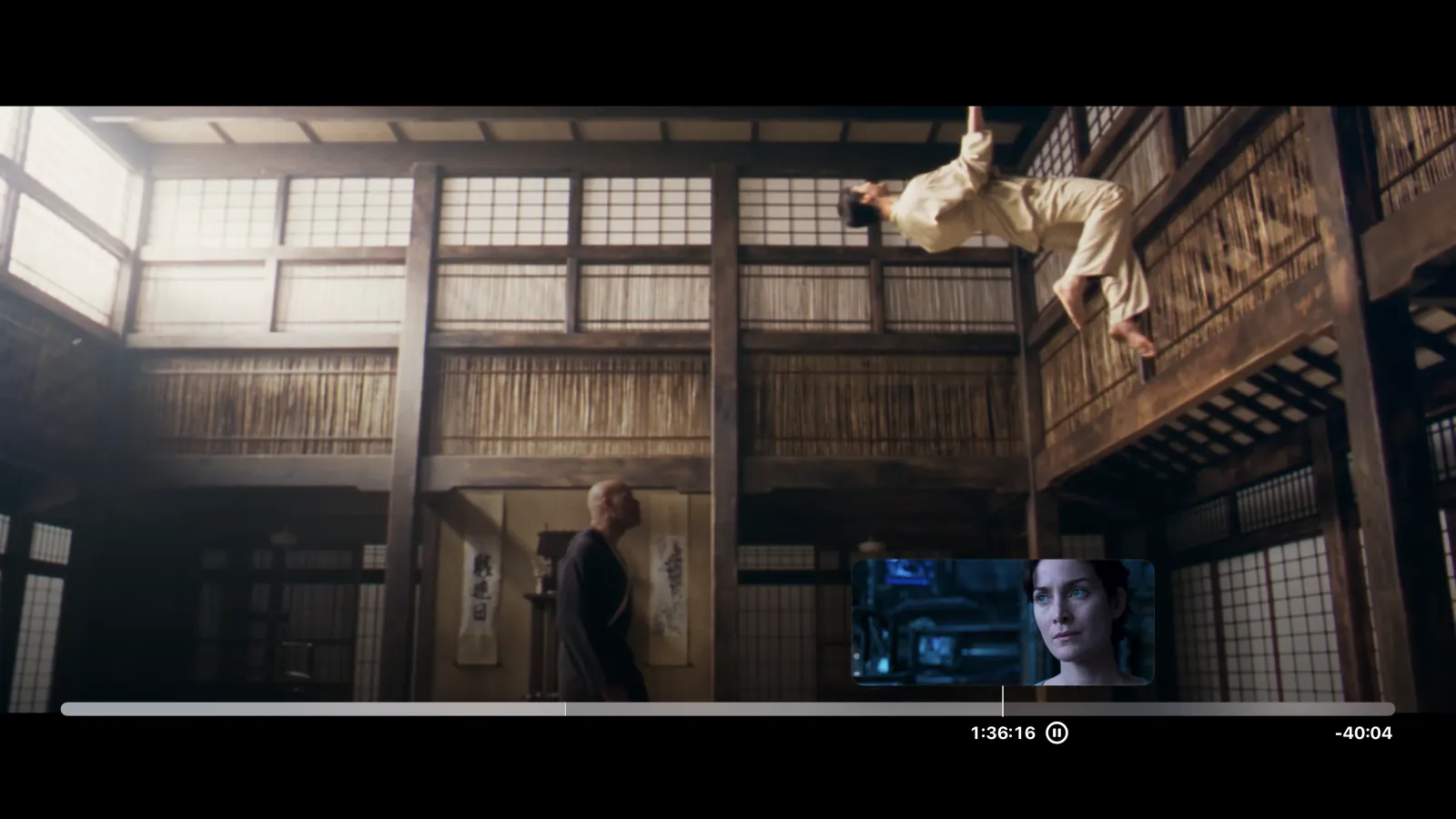
tvOS scrubs from an I-frame playlist, not image sprites
AVKit on tvOS draws scrub thumbnails from an HLS I-frame rendition: a secondary playlist declared with #EXT-X-I-FRAME-STREAM-INF in the master. Each entry in the playlist points to a single-frame fMP4 fragment. As the viewer scrubs, AVKit fetches those fragments and displays each one above the timeline bar. Without the rendition, the scrub bar is blank.
Jellyfin trickplay produces sprite sheets: grids of JPEG thumbnails. That format is not what #EXT-X-I-FRAME-STREAM-INF expects, and there is no adapter.
Why Jellyfin trickplay images do not work here
We tested both codec labels before giving up on the JPEG route. A variant with CODECS="jpeg" was silently ignored by AVFoundation. A variant with CODECS="mjpg" stalled the player: seeks were accepted but never completed. The trickplay path is closed on both ends.
Trickplay also needs the server to generate its images before any exist. Building from the source keyframes sidesteps both problems.
Building the I-frame track from the file's keyframes
Every modern container already maintains a keyframe index. For Matroska, WebM, MP4 and MOV, the FFmpeg demuxer lists every keyframe without reading the whole file. For MPEG-TS sources, which carry no usable index, the engine falls back to one entry per segment and reads the nearest keyframe behind that offset.
The engine thins keyframes closer than one second apart, matching the HLS authoring spec's assumption for I-frame tables.
The diagram below shows how a keyframe in the source file ends up as a thumbnail on the scrub bar.
flowchart LR
    A[File keyframes] --> B[Keyframe index]
    B --> C[I-frame entries]
    C --> D[iframes.m3u8]
    D --> E[Master playlist]
    E --> F[AVKit scrub bar]
Each fragment is a single fMP4 segment: one moof, one mdat, one sample. Where the engine stream-copies the video, the I-frame is also stream-copied. Where it transcodes, the I-frame goes through the same encoder so codec and dimensions match the playing track.
guard !config.isLive, planned, !codecs.isEmpty, config.durationSeconds > 0 else { return "" }
var line = "#EXT-X-I-FRAME-STREAM-INF:BANDWIDTH=\(max(1, bandwidth))"
line += ",CODECS=\"\(codecs.joined(separator: ","))\""
if !config.supplementalCodecs.isEmpty { line += ",SUPPLEMENTAL-CODECS=\"\(config.supplementalCodecs)\"" }
if config.width > 0 && config.height > 0 { line += ",RESOLUTION=\(config.width)x\(config.height)" }
if !config.videoRange.isEmpty { line += ",VIDEO-RANGE=\(config.videoRange)" }
return line + ",URI=\"iframes.m3u8\"\n"
Live sessions and audio-only files return an empty string and get no I-frame line.
Never fail an I-frame request
The store never returns a missing response. If the engine cannot produce a frame within its time budget, it finds the nearest cached fragment. It restamps that fragment at the requested time by rewriting the tfdt field and returns it. On a link that carries the original the budget is 4 seconds. Under the server's smaller streams, where playback owns the link, it is 0.6 seconds.
The result is that AVKit never sees a gap, and trick play works reliably even during slow reads from network sources.
Declaring an honest bandwidth
The BANDWIDTH attribute on the #EXT-X-I-FRAME-STREAM-INF line signals to AVFoundation how much capacity the rendition needs. Apple's HLS authoring spec offers a formula: bit rate times keyframe interval divided by 8. That formula under-declares real source keyframes.
A keyframe carries a full independent frame, not a fraction of the average stream rate. We declare the copy track's own peak bitrate instead: a keyframe over the gap to the next can never need more than its stretch of the stream.
The I-frame rendition is a standard part of HLS and AVKit draws from it on every Apple device. If the scrub bar is blank on tvOS, generate an I-frame playlist from the source file's keyframes. Enabling Jellyfin trickplay is not the fix. Server-side JPEG generation is never in the path.
Related: PGS subtitles on Apple TV without transcoding, When should a Jellyfin client transcode?, Tomo TV.