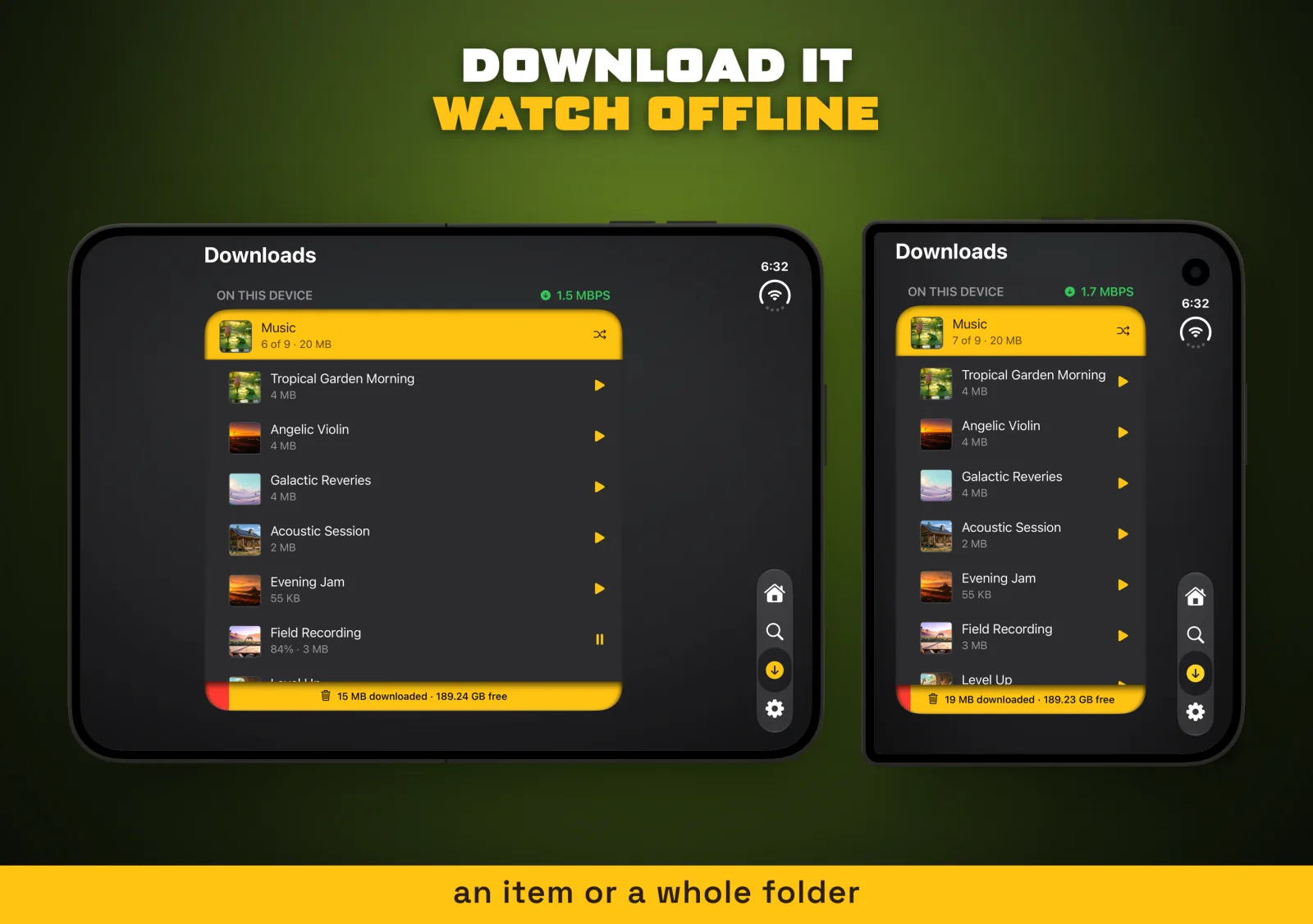
iPhone Duo App Store screenshots come in four sizes: the closed screen and the open screen, each upright or sideways, all in one slot. Our first Duo set was cropped from the iPad captures, so it looked like an iPad. Tomo TV's screenshot script now takes two captures per shot and draws both screens side by side, at the size they really are.
One script for every App Store screenshot
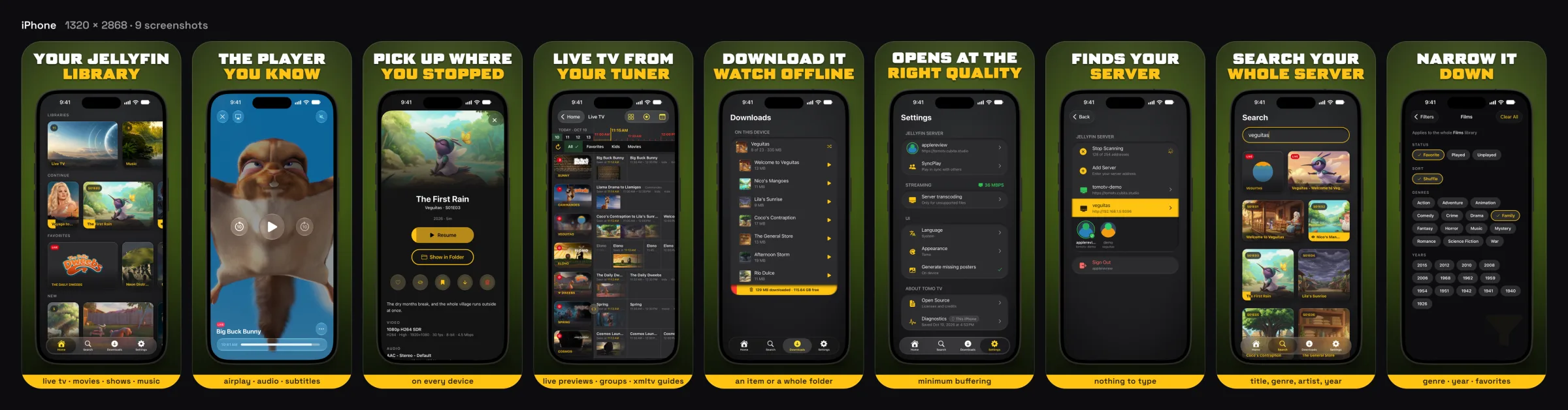
npm run shots turns plain screenshots into store images for iPhone, iPad, Apple TV, Mac and now iPhone Duo. Nine captions, four languages, five device sets. It adds a headline and a gold caption band, checks each image against the size App Store Connect wants, and redraws only the images whose inputs changed.
We take the captures by hand and keep them in git. A missing one renders as a CAPTURE PENDING stand-in, and the release check refuses to upload it. A second script sends each set to the App Asset Library in App Store Connect, in the order shots.config.json sets.
Each device gets the frame it deserves. iPhone and iPad captures sit in a drawn device outline, with a clean 9:41 status bar stamped over the one they were taken with. Mac captures are windows, so they keep their own edge and shadow. Apple TV gets the whole canvas, with a dark wash behind the headline, because people read it from across a room.



iPhone Duo screenshots need one orientation
The Duo slot takes all four sizes, but a set reads well only when every shot has the same shape. Our first hand-uploaded set mixed a sideways open screen with upright closed ones, and the row in App Store Connect looked broken. Every Duo image is now sideways, 2853 by 2007 pixels.
A sideways canvas is also the only shape where both screens fit next to each other, and this is the larger of the two sideways sizes. A closed screen beside an open one is about twice as wide as tall. On an upright canvas that pair shrinks to a strip.
The iPad crops were the dead end. They had the right pixel count and the wrong app: iPad layouts, where the Duo puts its bars in a column on the side. App Store Connect asks for screenshots that show your app in use, and those did not.
Two captures per shot, one layout key
Each shot now has two files in captures/duo: 01-library.outer.png for the closed screen and 01-library.inner.png for the open one. Drop a folder named "iPhone Duo" on the Desktop and the script sorts its images by shape, so a closed-screen image only ever fills a closed slot.
A layout key in shots.config.json picks what each image draws: pair, inner or outer. The set defaults to pair. The player shot uses inner, because a video reads better across the whole open screen than at half size. That is why nine shots need 17 captures. The release check refuses a pair with a screen missing, and a capture turned on its side.
A pair shot goes from two captures to one store image like this.
flowchart LR
  A["Closed screen<br/>1398 × 2034"] --> C["layout: pair"]
  B["Open screen<br/>2853 × 2007"] --> C
  C --> D["One scale<br/>for both outlines"]
  D --> E["Headline and<br/>caption band"]
  E --> F["2853 × 2007<br/>store image"]
Drawing both iPhone Duo screens at true scale
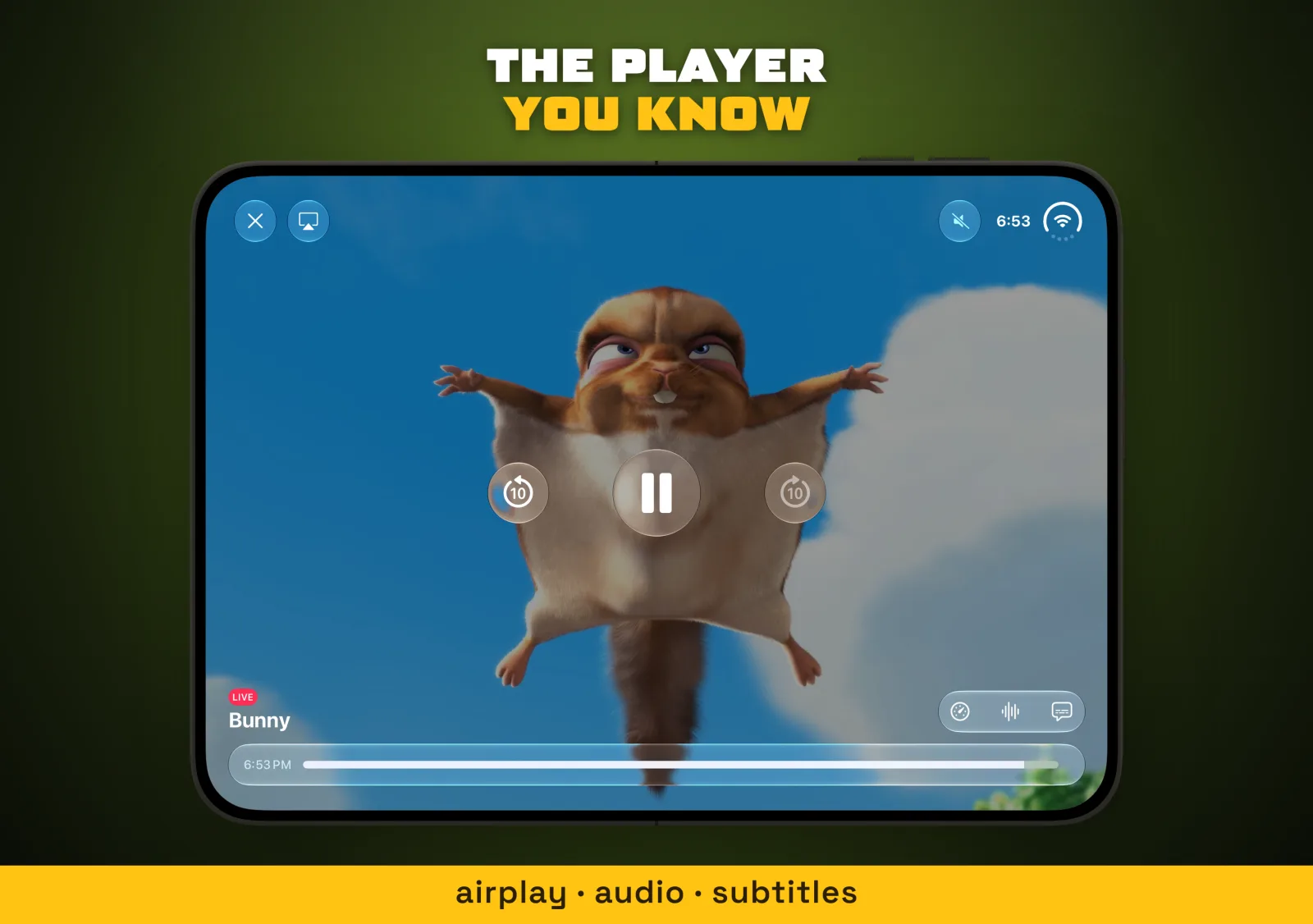
Both outlines are drawn in points, and the pair gets one scale: the largest that fits the width and the room under the headline. The open screen is 2007 pixels tall and the closed one is 2034, so they stand at nearly the same height. Buttons and text come out the same size on both. It reads as one phone in two states, not two devices.
const boxes = names.map((name) => FRAMES[name].viewBox);
const gap = W * ROW_GAP * (modes.length - 1);
const span = boxes.reduce((sum, [, , vw]) => sum + vw, 0);
const tall = Math.max(...boxes.map(([, , , vh]) => vh));
const scale = Math.min((W * t.panelWidth - gap) / span, room / tall);
let x = (W - span * scale - gap) / 2;
const y = top + Math.max(0, room - tall * scale) / 2;
The outlines come from the iPhone Duo simulator's own screen masks. The closed screen has small corners on one side, about 10 points, and large ones, about 75 points, on the side with the controls. The open screen has corners of about 68 points all round. Apple draws these as continuous curves, not circles. A plain rounded mask left a sliver of background at each corner, so each capture is masked with the same curve as its outline.

What we chose not to do
We did not automate the fold. The script composes; people take the captures, on the Duo just as on the other devices, and git keeps them. A capture you chose beats one a robot happened to catch.
We also left the Duo's clock alone. Its status bar sits in the side column, and our 9:41 stamp reads the top of the screen, so Duo captures keep the clock they were taken with. The outlines stay simple vector shapes in the same style as our iPhone and iPad ones, rather than photographic bezels. More on the app itself at Tomo TV.
When a store slot takes two screens, draw them on one canvas shape at one scale, and take their geometry from the platform's own files rather than from a screenshot.