# Synced Jellyfin lyrics on Apple TV
> Tomo TV shows synced Jellyfin lyrics on Apple TV, iPhone, iPad and Mac. When the server has none it asks lrclib.net, then Apple's on-device speech transcriber times the words, but only when it heard at least half of them. On test songs that passed, the heard start of each line fell a median 0.34 seconds from lrclib.net's own line time, once each song's overall offset was removed.
- ID: LAB-013
- Area: Music · Lyrics
- Problem: Jellyfin shows lyrics only for songs the server already has lyrics for.
- Solution: Ask lrclib.net when the server has nothing, then let the device listen to the song to time the words, or to write lyrics where none exist.
- Status: Shipped in 2.2.12
- Published: 2026-10-14
- Updated: 2026-10-17
- Author: Keiver Hernandez
- URL: https://keiver.dev/lab/jellyfin-lyrics-apple-tv
- Source: https://github.com/keiver/tomotv
Jellyfin lyrics on Apple TV only show when the server has lyrics for the song. We wanted every song to have words that follow the music, without a recognition service hearing your audio. Tomo TV looks in four places and lets the device do the timing.
## Where Jellyfin lyrics come from on Apple TV
A song's lyrics come from the first of four places that has them: a download on the device, the Jellyfin server, [lrclib.net](https://lrclib.net), and last the device listening to the song. Each answer shows at once, and a better one replaces it when listening finishes. What the app found or wrote can then go back to the server.
```mermaid
flowchart LR
A["Download
on device"] --> B["Jellyfin
server"]
B --> C["lrclib.net"]
C --> D["Device listens
to the song"]
D --> E["Save to
your server"]
```
The whole run happens once per song, and the result is kept in the app's cache. A song with no lyrics anywhere is asked about again after 14 days. Our first bug lived here. A server request that failed was read as "this song has no lyrics", so a slow first open remembered a miss. Now a failed request is asked again after one and three seconds, and a server that never answered is not recorded as having nothing.
## [lrclib.net](https://lrclib.net), when the server has none
[lrclib.net](https://lrclib.net) is a free, crowd-sourced lyrics database with no keys. The app sends it the artist, the title and the length in seconds, names itself in every request, and waits when the service asks it to.
Untagged rips are often named "Artist - Title", so the app also reads the artist and title out of the name. It tries an exact lookup first, then a search. A search result keeps its line timing only when its length is within three seconds of the file's. Another cut of the song can put every line in the wrong place. While designing this, a broader version of the lookup, which searched after every name it tried, found lyrics for 25 of the 71 songs in our test library.
## The device listens, and only for timing
On iOS, tvOS and macOS 26, Apple's SpeechTranscriber turns a song into words with a time for each one. Apple's WWDC25 session on it says the transcription runs entirely on the device. The language model downloads the first time it is needed.
Singing over music is hard to transcribe. On 16 test songs it got about half the words wrong. The times hold up, though, so we keep the written lyrics and borrow only the times.
Enough has to be heard first. Word timing applies only when at least half the lyric's words were heard, and plain text gets line times only at 65 percent. On 10 of the 16 songs enough was heard. On those, half the lines started within 0.34 seconds of [lrclib.net](https://lrclib.net)'s own times, and three in four within a second. Two songs ran a steady 1.06 and 2.67 seconds off, and the app shifts a song like that back as a whole.
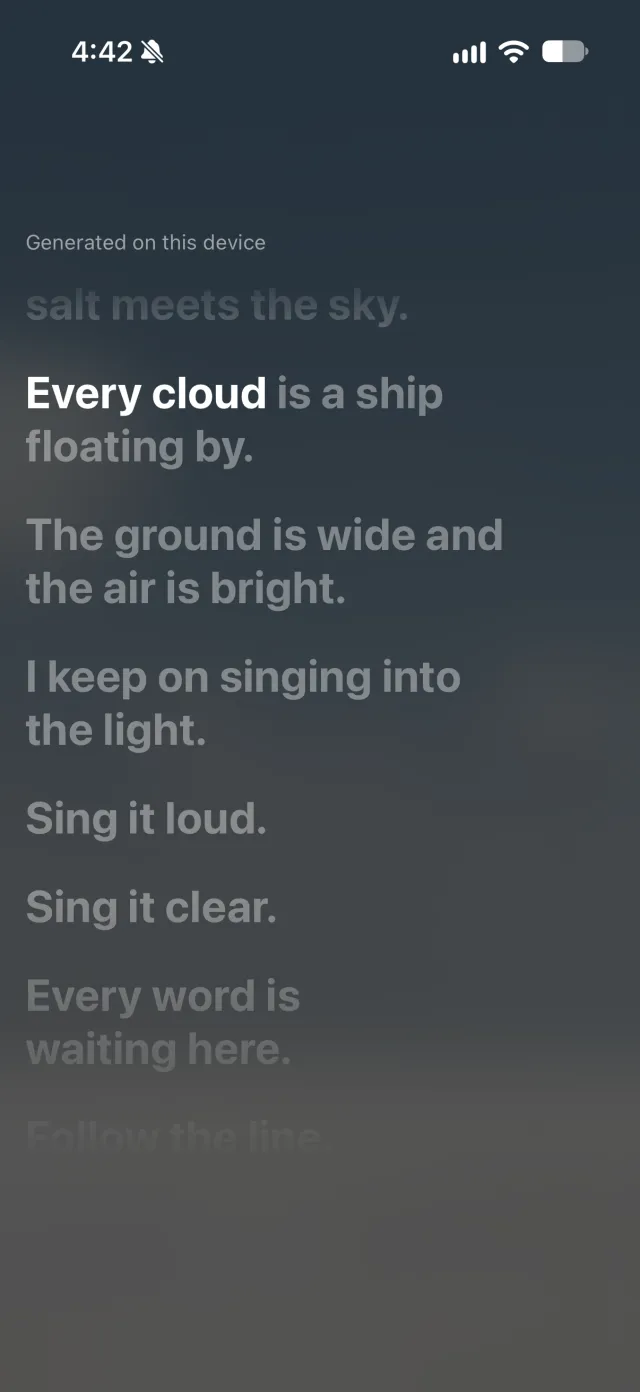
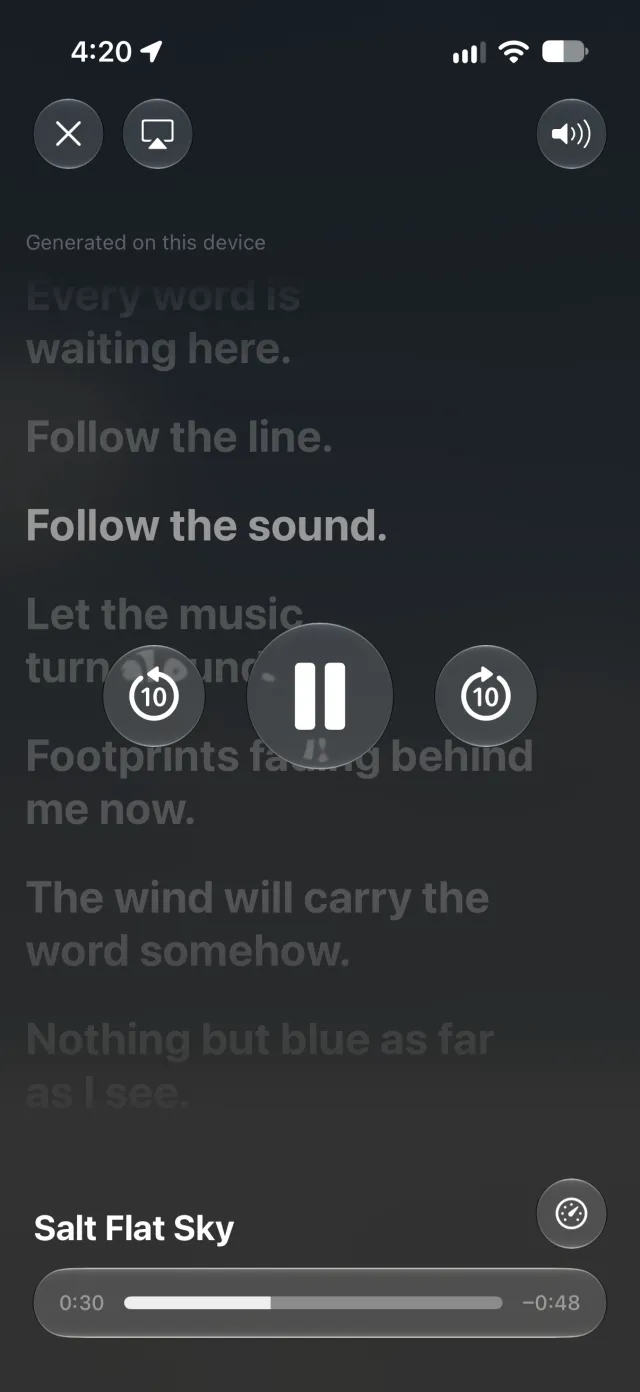
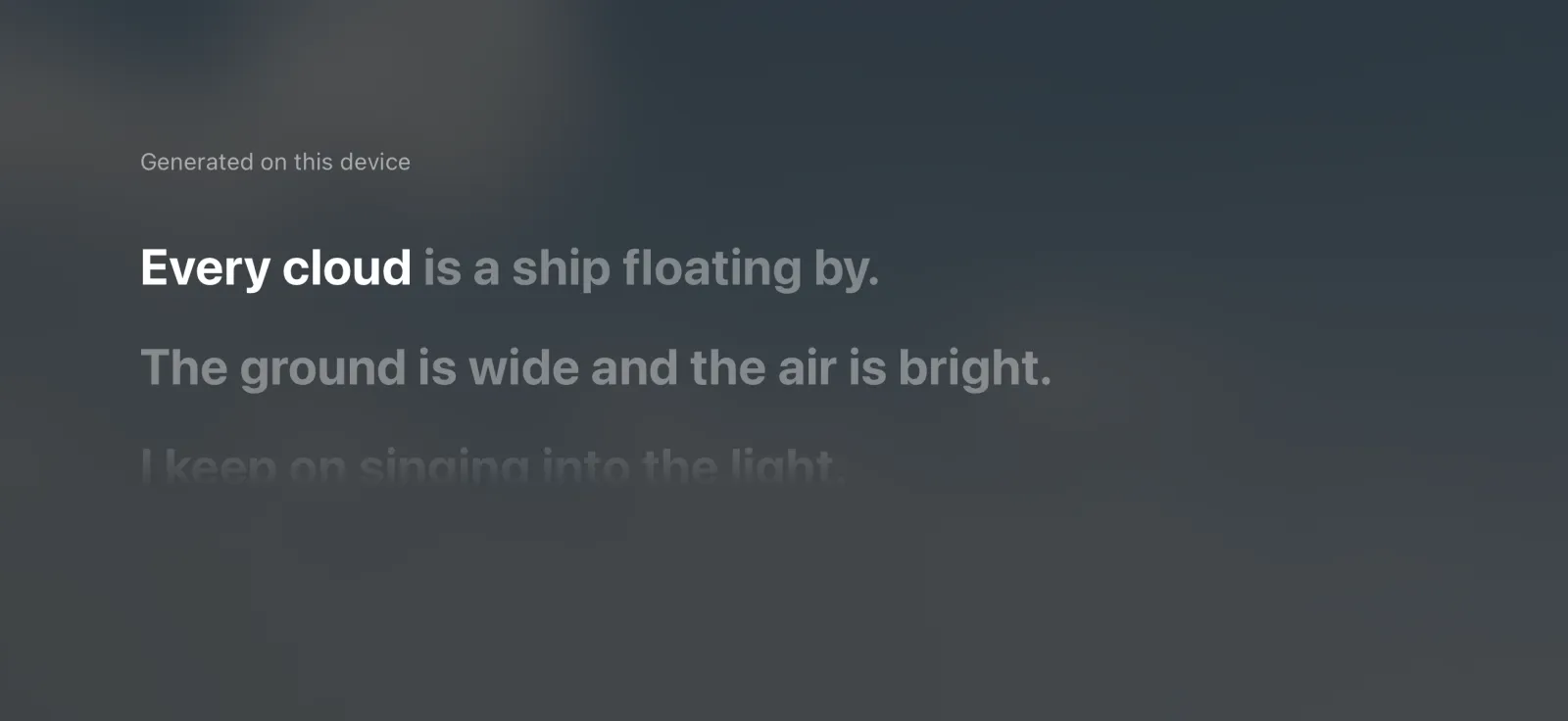
Scripts written without spaces, such as Japanese, skip word timing and keep their lines. A song with no lyrics anywhere gets lines written from what was heard, when it holds at least ten heard words a minute, captioned "Generated on this device".
## How the words get their times
The pairing is the Needleman-Wunsch algorithm, the global alignment used to line up two DNA sequences. Both sides first become plain words: lowercase, no accents, no punctuation. Then every lyric word is scored against every heard word.
[services/lyrics/align.ts:52-58](https://github.com/keiver/tomotv/blob/58ca2b333a6d586ea43824236c42c3fd43048720/services/lyrics/align.ts#L52-L58)
```ts
/** 2 the same word, 1 close enough to be a mishearing of it, -1 a different word. */
function similarity(a: string, b: string): number {
if (a === b) return 2;
const shorter = Math.min(a.length, b.length);
if (shorter >= 3 && (a.startsWith(b) || b.startsWith(a))) return 1;
return editDistance(a, b) <= Math.max(1, Math.floor(shorter / 4)) ? 1 : -1;
}
```
Skipping a word on either side costs half a point. The algorithm fills a table with the best score for every pair of starting stretches, then walks back from the end to read off the pairs. A lyric word paired with a match or a near match takes that heard word's start time.
The rest are filled in. A word between two timed words gets a time spread evenly between them, and one before the first or after the last sits 0.4 seconds per word away. The share of paired words is the gate above. Next, each line's first word is compared with the line's own time. When the lines agree on a shift of half a second or more, the whole song moves by it. Last, every word is held inside its line and never runs backwards.
## What we chose not to do
We tried downloadable Whisper models through whisper.cpp, on the same 16 songs, on a Mac.
| Model | Download | Words wrong per 100 | Songs timed, of 16 |
| --- | --- | --- | --- |
| Apple SpeechTranscriber | none, built into the system | 54 | 10 |
| Whisper `tiny` | 78 MB | 89 | 5 |
| Whisper `base`, quantized | 60 MB | 89 | 8 |
| Whisper `base` | 148 MB | 69 | 8 |
| Whisper `small`, quantized | 190 MB | 58 | 11 |
The system transcriber adds nothing to the app's size and got the fewest words wrong, so no model ships. We also dropped song recognition: it would send data from the audio out of the app, even if only to Apple.
Timed lyrics the app finds on lrclib.net or writes on the device go back to your Jellyfin server as a lyric file. Jellyfin never tells an app whether an account may manage lyrics, so the app tries, and a refusal stops it trying for that account while the app runs. Lyrics without times are not saved, and a copy without times that the app saved before is replaced once a device times it. Any app that shows the server's lyrics then gets them, and the server's own lyrics are never sent back to it.
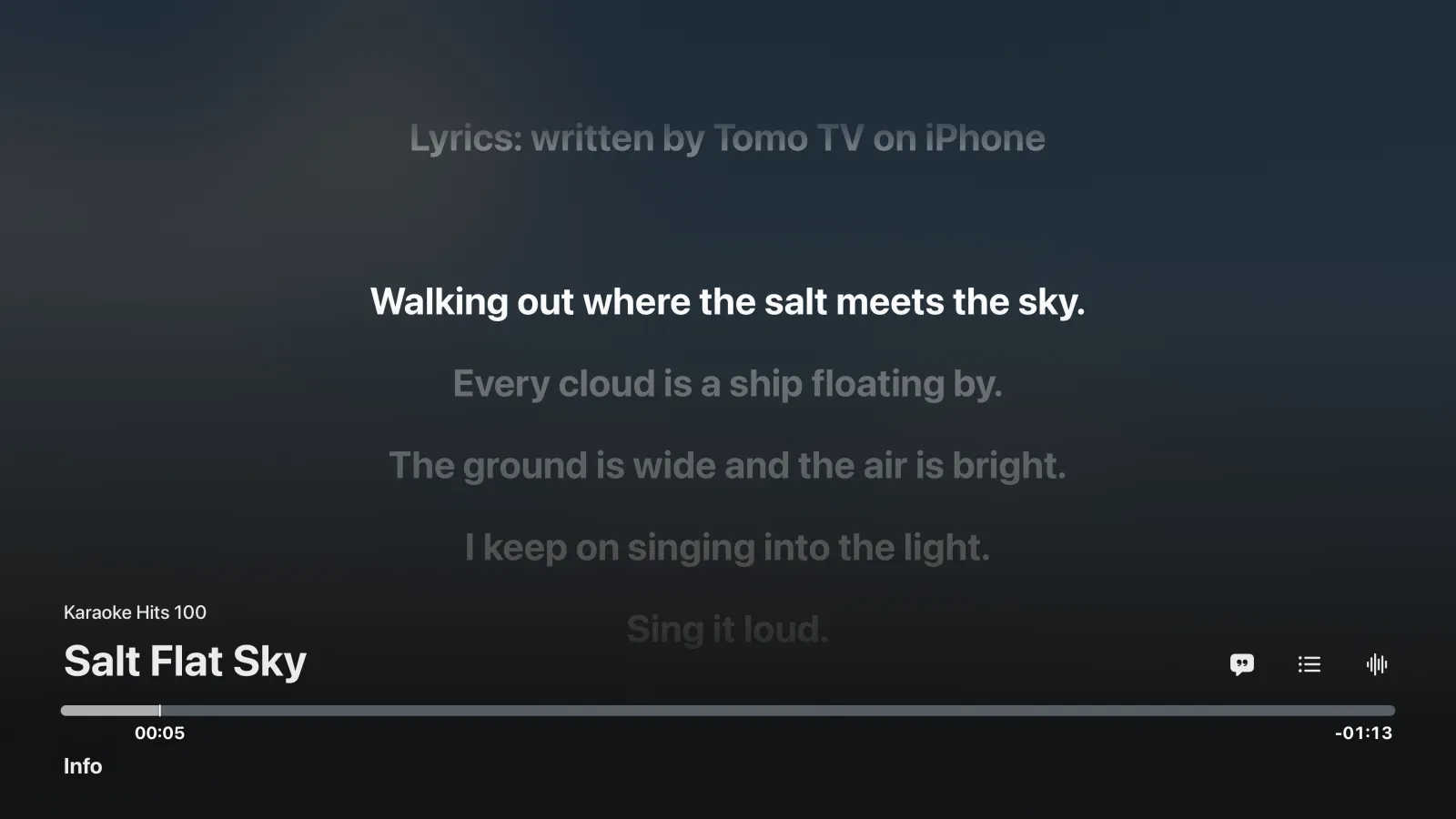
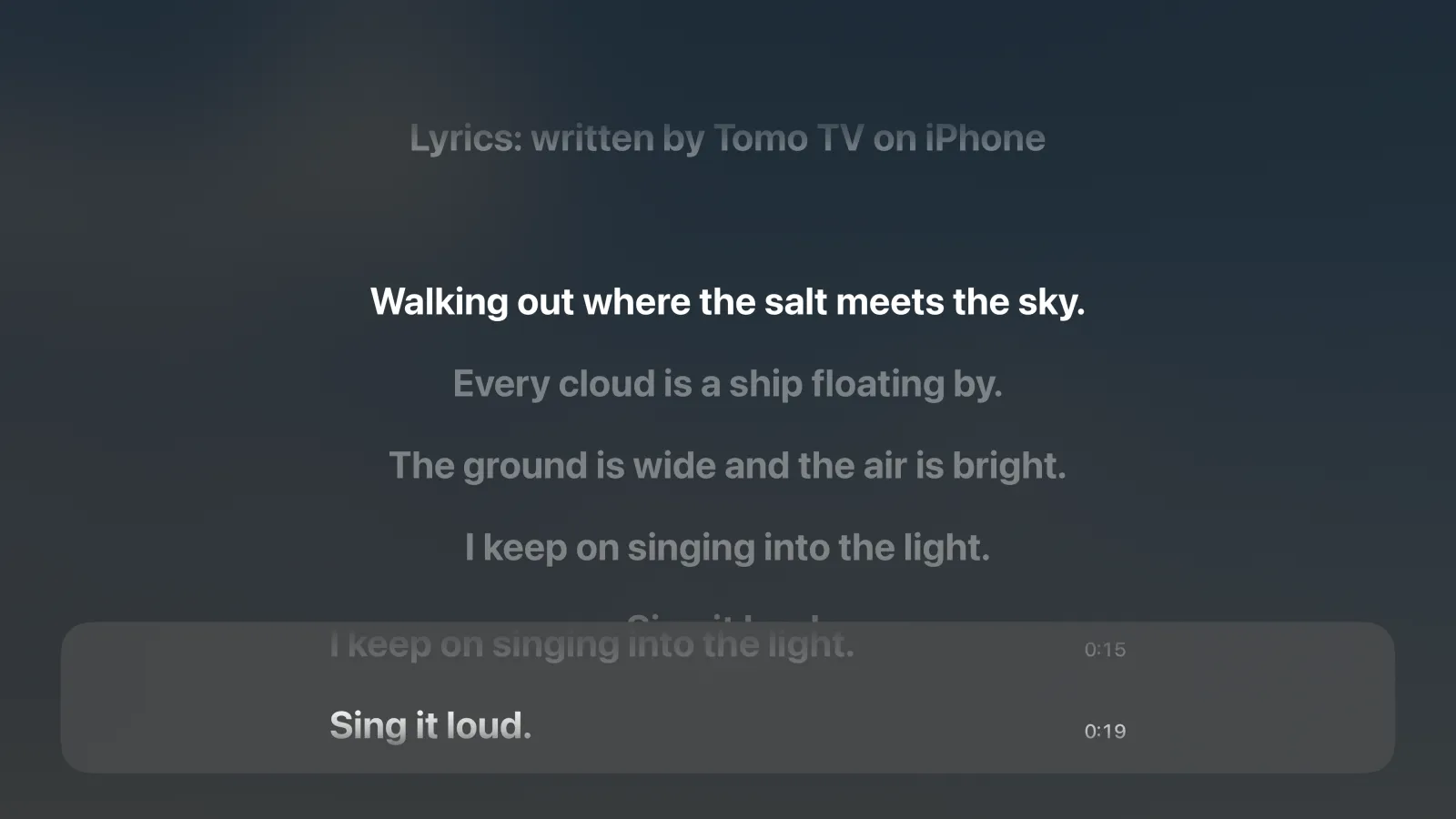
Jellyfin keeps no record of where a lyric file came from, so the file says it. Each one starts with a line at 0:00, "Lyrics: lrclib.net" or "Lyrics: written by Tomo TV on iPhone" (or iPad, Mac or Apple TV). It ends at 3 seconds or at the first sung line, whichever comes first, so no lyric moves. The line stays in English, since every account and app on the server reads the same file.
That is also how an Apple TV without Apple's speech transcription gets lyrics. Play the song once on an iPhone, iPad or Mac, and the TV shows its lyrics the next time it plays.
## Lyrics in AVKit's own player
The player stays Apple's. On Apple TV a Lyrics button joins AVKit's transport bar, only for a song that has lyrics, and swaps the artwork for the lyrics, full screen.
Swiping up opens AVKit's overlay with every line, and each line's time when the lyrics are timed. Pressing a timed line plays from it. The list is there even with the Lyrics button off, and lyrics without times show only there, since text that never moves keeps the poster on screen. Left and right on the remote bring up AVKit's own scrub bar.
On iPhone, iPad and Mac the lyrics fill the screen under AVKit's own controls. Scrolling ahead to read pauses the follow for four seconds.
---
Take the words from where people wrote them and the timing from the device, and merge the two only when the device heard enough to agree. A transcriber that gets half the words wrong is still a fine clock.
See also: [channel surfing on Apple TV with AVKit](/lab/tvos-channel-surfing-avkit), [Up Next on Apple TV](/lab/up-next-apple-tv-avcontentproposal), and [Tomo TV on the lab page](/lab/tomotv).
Drafted with Claude from Tomo TV's code and device measurements. Reviewed, edited and verified by Keiver Hernandez.
Cite as: Keiver Hernandez, "Synced Jellyfin lyrics on Apple TV", keiver.dev/lab/jellyfin-lyrics-apple-tv, 2026-10-14.